OCR invoice extraction is not enough: what comes after the scan
Published on :
June 29, 2026

Nicolas Marchais is co-founder and CEO of Phacet. After seven years at Spendesk, he built Phacet as the agentic layer that orchestrates across ERP, banking and email systems. Reliable, auditable, cross-system, what he calls a Finance Workforce.

A supplier sends an invoice for 1,200 units at $4.10 each. Your contract says $3.80. An OCR invoice tool reads every field perfectly: vendor name, invoice number, quantities, line totals. The data is flawless. It flows straight into your ERP. And the overcharge gets paid.
That is the blind spot at the center of most invoice automation. Optical character recognition turned a slow, manual job into a fast one. But reading an invoice and verifying it are two different problems, and the second one is where the money is.
This guide explains what invoice OCR does, where it stops, and what has to happen after the scan to turn extracted data into data you can actually trust before payment.
What is invoice OCR?
Invoice OCR is the use of optical character recognition to read a paper, PDF, or photographed invoice and convert it into structured, machine-readable data. It pulls out fields like the vendor name, invoice number, dates, tax, totals, and line items, then hands them to your accounting system or ERP.
OCR stands for optical character recognition. In an accounts payable context, "OCR invoice processing" simply means using that technology to capture invoice data automatically instead of typing it in by hand. Modern tools pair OCR with AI to handle varied layouts without per-vendor templates, a step often called intelligent document processing.
What data does invoice OCR extract?
A capable invoice data extraction engine reads four groups of fields:
- Header: invoice number, invoice date, due date, purchase order number.
- Vendor: company name, tax ID, remit-to address.
- Financials: subtotal, tax rate, shipping, total amount due.
- Line items: descriptions, quantities, unit prices, and row totals.
How does invoice OCR work?
The flow is consistent across tools and runs in four steps:
- Capture: the invoice arrives by email, upload, or scan and becomes a digital image.
- Clean: the image is straightened and sharpened so characters read clearly.
- Recognize: pixels are matched to letters, numbers, and symbols.
- Output: the recognized fields are mapped into structured data (JSON, CSV, or ERP fields).
Done well, this replaces hours of keystrokes. It is genuinely useful. It is also where almost every tool on the market stops.
Where OCR stops: the limits of extraction
OCR answers one question: what does this document say? It does not answer the question finance actually cares about: should we pay this, and is it correct?
A few things OCR cannot do on its own:
- It cannot tell that an extracted unit price is higher than the rate you negotiated.
- It cannot confirm that the goods on the invoice were ordered and received.
- It cannot flag that the same invoice already came in last month.
- It cannot decide that a line looks wrong and should be held before payment.
Better extraction accuracy does not fix any of this. A wrong invoice read at 99.9% accuracy is still a wrong invoice, now sitting in your ERP looking perfectly clean. The error did not get caught. It got formatted.
What comes after the scan: from extraction to control
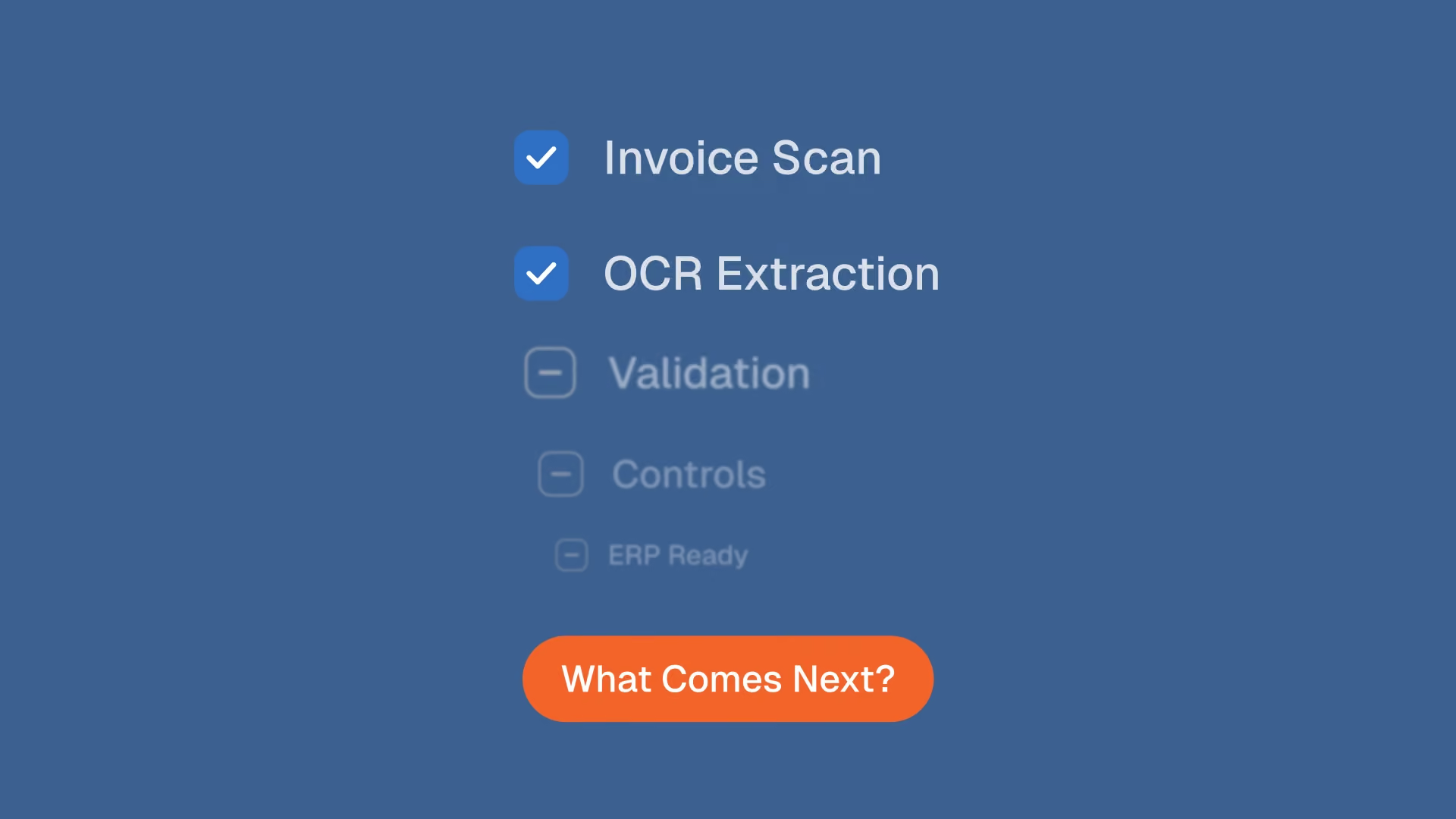
The work that protects your cash starts once the data exists. Think of it as three layers stacked on top of extraction: structure the data, match and verify it, then act on it. Here is what each one adds.
Validation: is the data complete and coherent?
Before anything reaches the ERP, the captured invoice should be checked for completeness and internal consistency. Does the line-item sum equal the stated total? Is a PO number present where one is required? Is the tax plausible? This is supplier invoice validation, and it is the difference between data that is readable and data that is trustworthy. Running these checks before invoices reach your ERP keeps bad records out of the books in the first place.
Matching: does the invoice match the order and the receipt?
A clean invoice still has to be reconciled against what you ordered and what arrived. Three-way matching compares the invoice to the purchase order and the goods receipt, line by line. OCR can read all three documents. It cannot reconcile them. Automating that reconciliation, with a clear reason for every match, is its own discipline, covered in our three-way matching use case.
Price compliance: does each line match your negotiated rate?
This is the layer almost no extraction tool touches. Invoice price compliance means checking every line against the contract, the price list, or the negotiated rate, and surfacing the gap when a supplier bills above what was agreed. For a hospitality group or a food and beverage operator buying from dozens of suppliers, this single check is where overpayments hide.
Pre-payment checks: duplicates, fraud, and the final hold
The last layer is the safety net before money moves: duplicate invoice detection, supplier and IBAN checks, and a clear flag on anything that does not reconcile. These pre-payment invoice checks are the moment extraction was always building toward, and the moment most OCR tools never reach.
Why the difference matters
A perfectly extracted invoice that is wrong is just a wrong payment that arrives faster. Speed without control scales the mistake.
The value shows up the moment control runs on every invoice instead of a sample. At Astotel, an 18-hotel group, price checks used to be done by sampling. An agent that verifies each line against negotiated rates surfaced roughly 5,000€ a year of billing errors on a single supplier, and saved the purchasing lead about two hours a day. "I catch errors I would never have spotted on my own."
The same pattern holds at scale. Smartbox, a European retail group operating across 14 countries, reached roughly four times the productivity on payment-to-invoice reconciliation once the matching ran automatically rather than by hand. Extraction made the data available. Control made it safe to act on.
How Phacet handles the layer after the scan
Phacet does not sell you another scanner. It adds the internal control layer that sits on top of extraction and decides whether an invoice is safe to pay.
The work is delivered by specific agents you can switch on:
- An accounting inbox agent sorts and routes incoming invoices, so triage stops being a manual job.
- A supplier price control agent checks each line against your price list and flags any gap before payment.
- A contract-terms control agent verifies invoices against the terms you actually agreed to.
- A three-way matching agent reconciles invoice, order, and receipt automatically.
Each agent structures the data, matches and verifies it, then surfaces what needs a human eye. Every decision is recorded in a native audit trail, so any line is explainable to an auditor or an accountant. The AI proposes, your team decides, and nothing is hidden. The first agent is typically in production in under two weeks, built on patterns drawn from more than 100 finance deployments.
If extraction is the part of the job you have already solved, this is the part worth solving next. See how the accounts payable agents fit together, or read more on invoice control before payment.
Frequently asked questions
What is an OCR invoice?
An OCR invoice is an invoice that has been read by optical character recognition software, which converts the document image into structured, machine-readable data such as vendor name, amounts, and line items. The term is often used as shorthand for OCR invoice processing in accounts payable.
What does OCR stand for in invoicing?
OCR stands for optical character recognition. In invoicing and billing, it refers to the technology that automatically captures data from a scanned or PDF invoice so it can be processed without manual typing.
Is OCR enough to automate invoice processing?
No. OCR automates data capture, but it does not verify whether the invoice is correct or should be paid. Full automation also needs validation, three-way matching, price-compliance checks, and duplicate detection before payment.
What is the difference between invoice OCR and invoice validation?
Invoice OCR reads the document and extracts the data. Invoice validation checks that the extracted data is complete, coherent, and compliant with your contracts and controls. OCR tells you what the invoice says; validation tells you whether to trust and pay it.
What comes after OCR extraction?
After extraction comes control: validating the captured fields, matching the invoice to the purchase order and receipt, checking each line against the negotiated price, and screening for duplicates or fraud before the payment is approved.
The takeaway
OCR solved the easy half of invoice processing. Reading the document is now a commodity. The half that protects your margin, deciding whether each invoice is correct before you pay it, is the work that comes after the scan. Treat extraction as the starting line, not the finish.
See the accounts payable control agents in action, or book a demo to check your own invoices line by line.
Latest Resources
Unlock your AI potential
Go further with your financial workflows — with AI built around your needs.