
Control your food supplier price list
Compare every delivered product line against your negotiated prices, by reference, by site, every delivery.

Introduction
Food suppliers change prices without notice. Across hundreds of product lines per week, checking every invoiced price against the price list is humanly impossible. Variances slip through, margins erode.
Phacet extracts every food invoice line (PDF or email), matches it against your negotiated price list reference by reference, calculates price and quantity variances, and ranks anomalies by financial impact. Result: unauthorized increases are caught before payment, and you have the data to renegotiate.
When to use this Phacet
Built for group CFOs, head chefs or food procurement managers who want to:
• Verify that every delivery respects negotiated prices in the price list, reference by reference.
• Catch unauthorized price increases before paying the invoice.
• Compare prices across sites for the same supplier and product.
• Have concrete data (in euros) to renegotiate with suppliers.
AI skills involved

Read and convert any financial file, whatever the format
Phacet reads PDFs, scanned invoices, bank statements, email attachments and ERP exports natively — regardless of layout, quality or source. No manual preparation, no template to configure. If you can open it, Phacet can read it.

Automatically pull key data points from your documents
Phacet identifies and extracts the fields that matter — invoice numbers, amounts, due dates, IBANs, supplier references, VAT codes, contract terms — even from unstructured or inconsistent documents. Data comes out clean and ready to use in the next step.

Automatically match your data across files, tools and systems
Phacet cross-references your data across sources - invoices vs. payments, POs vs. receipts, bank lines vs. GL entries, CRM deals vs. billing records. It tells you exactly what matches, what's missing, and what's off. No VLOOKUP, no manual comparison.

Validate every line against your rules, thresholds and references
Define your rules once - negotiated prices, spending caps, expense policy, contract conditions, approval thresholds - and Phacet applies them to every single row, every time. Every discrepancy is flagged with the exact reason, ready for review.

Get notified on what matters and share results without manual work
Phacet sends alerts the moment a threshold is crossed or an anomaly is detected by email, Slack or in-app. It also generates summaries, dashboards and structured exports ready to send to your ERP, your team or your management. Results reach the right people at the right time, automatically.
Business impact

2 to 8% savings on food purchases
Price variances are detected and quantified before payment. On a food budget of €500K/year, that’s €10–40K recovered.
91% reduction in supplier control time
From 3 hours per week to 20 minutes. Every invoice is controlled automatically, not by sampling.
Price visibility by product, site and supplier
You know exactly which supplier charges how much for which product on which site. Inconsistencies between sites are visible.
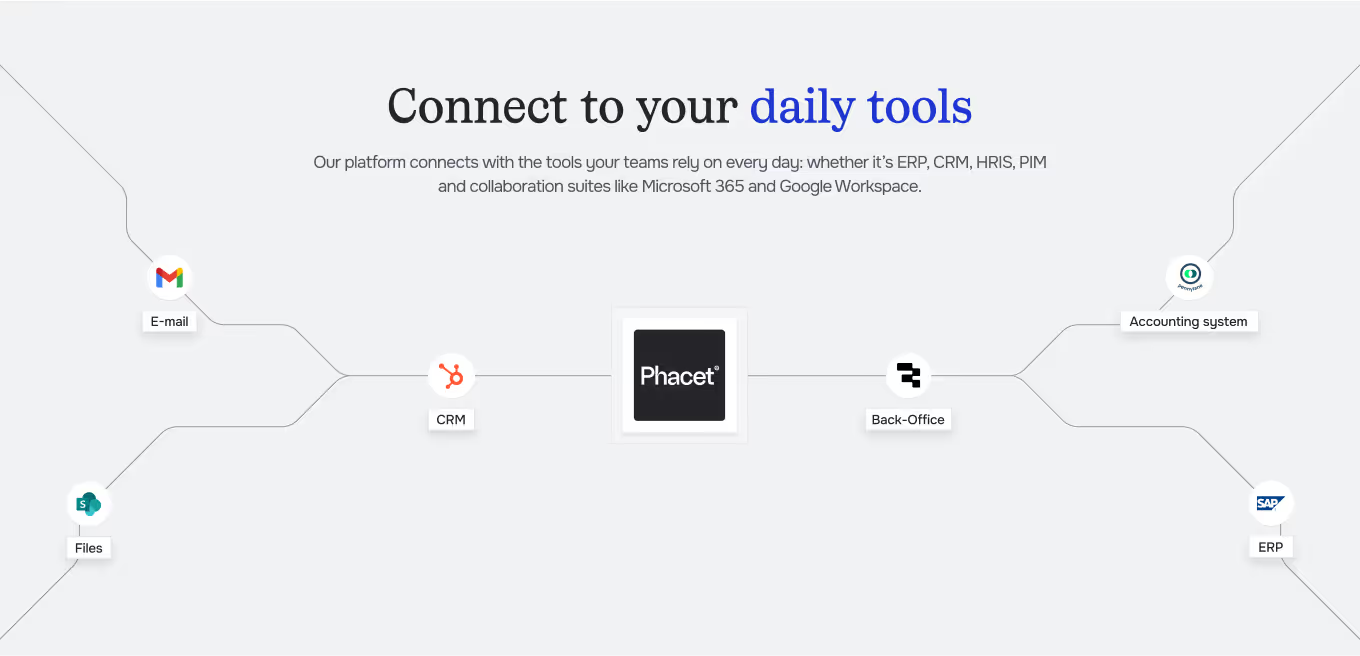
Integrated with everything






“Ten cents off on a delivery note, at our volumes, can represent half a margin point lost. Phacet is like a team member, operating 24/7.”
— Théo Richard, CFO, La Nouvelle Garde
Steps to get Started
Import your data
Upload food supplier invoices (PDF or export) and your negotiated price list (Excel, ERP or supplier file).
AI extracts and reconciles
Phacet reads every invoice, extracts product lines (reference, quantity, unit price) and compares them against the price list.
Variances are calculated and ranked
Every price or quantity variance is quantified in euros and ranked by impact. Unauthorized increases are flagged.
Analyze and renegotiate
Review the variance table by product, supplier and site. Export the data for your negotiations.
Unlock your AI potential
Do more with your existing resources using tailored AI solutions.
Frequently Asked Questions
Excel, CSV, or ERP exports. If your price list is in a supplier email or PDF, Phacet can also extract it.
Yes. Phacet normalizes units and flags inconsistencies (e.g. invoiced in kg while the price list is in litres).
Yes. The agent flags when the same product from the same supplier is invoiced at different prices across sites.
You can define temporary prices or tolerance thresholds. Variances within the allowed margin pass automatically.
Yes, it’s built for that. Control is just as fast across 50 references as 500.




GUIDE
The CFO guide
For accounting teams, accounting firms and CFOs of SMEs and mid-sized companies who want to know where to start.