

QuickBooks accounts payable automation explained
Published on :
July 13, 2026

Nicolas Marchais is co-founder and CEO of Phacet. After seven years at Spendesk, he built Phacet as the agentic layer that orchestrates across ERP, banking and email systems. Reliable, auditable, cross-system, what he calls a Finance Workforce.

QuickBooks accounts payable automation is the practice of connecting QuickBooks to software that captures supplier invoices, routes them for approval, and pays them, so your team stops keying bills by hand. On its own, QuickBooks records what you owe and, in the US, pays it through Bill Pay. It does not check whether you should pay the invoice in the first place.
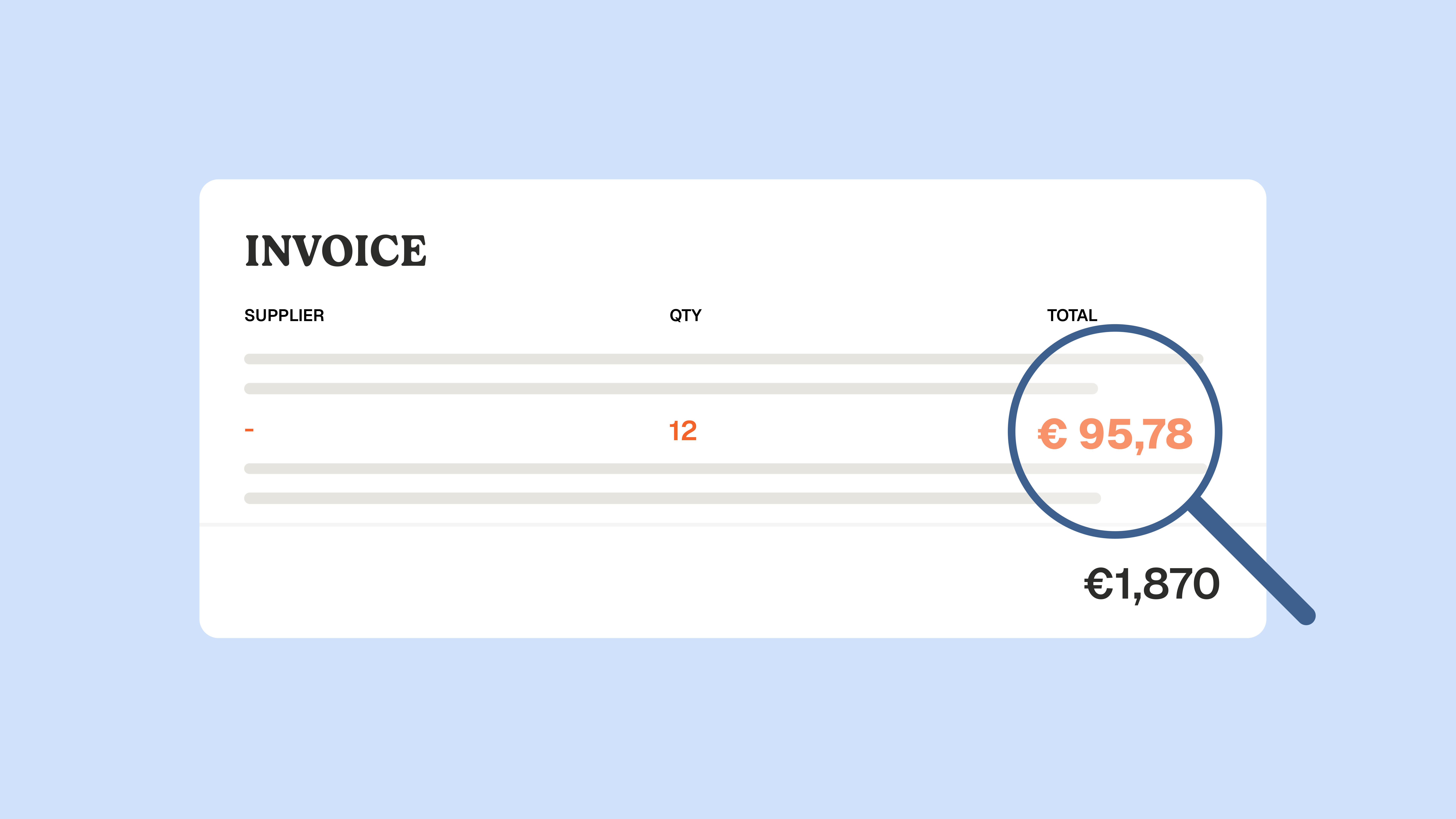
That distinction is the whole point of this article. Recording an invoice is not the same as controlling it. A bill can be perfectly valid, correctly coded, approved on time, and still overcharge you by a few cents per unit that repeat across hundreds of lines every month. Most AP automation tools built around QuickBooks speed up the paperwork. Very few check the price.
If you run a goods-heavy business in hospitality, food and beverage, retail, or construction, that gap is where the money leaks. Below is how QuickBooks AP automation works, where it stops, and how a control layer closes the part everyone else skips.
Does QuickBooks do accounts payable automation?
QuickBooks does not provide full accounts payable automation on its own. QuickBooks is accounting software: it records bills, stores vendor records, and pays suppliers. To automate invoice capture, coding, approvals, and matching, you connect a third-party tool that syncs back to QuickBooks.
QuickBooks has added native features that automate parts of the process. QuickBooks Online offers Bill Pay in the US, which captures some bills and schedules payments. But these features cover intake and payment, not control. There is no native line-level price check, no true 3-way matching against a purchase order and a delivery receipt, and no anomaly detection before the money leaves.
So the honest answer to the question people actually type into Google is this: QuickBooks handles the ledger and the payment. Everything between capture and payment, including the controls, comes from what you add on top.
What QuickBooks accounts payable automation actually covers
Before you extend it, it helps to know what QuickBooks does and does not do out of the box.
- QuickBooks Online (QBO): records bills, stores vendors, and in the US pays them through Bill Pay. There is no built-in invoice scanning, so intake still relies on manual entry or an add-on.
- QuickBooks Desktop (QBD): records and pays bills with approval steps, but automation of capture and matching depends almost entirely on a connected tool.
- QuickBooks Bill Pay: a native, optional layer that captures some invoices and schedules payments. Useful for intake and disbursement, limited on control and on anything beyond domestic payments.
The pattern is consistent across both products. QuickBooks is the system of record. AP automation is the layer you connect to feed it clean, approved, and, ideally, controlled data.
How AP automation works with QuickBooks
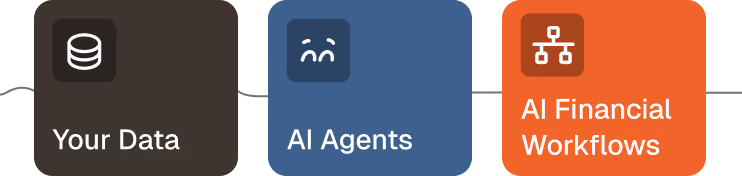
A connected AP tool follows the same broad flow, whichever vendor you pick. Think of it as three jobs an agent runs on top of QuickBooks: structure the data, match it, then let you analyze it.
- Capture and structure. An agent reads each incoming invoice, from email or upload, and extracts the header and the line items with optical character recognition and AI. This is the accounts payable automation step that removes manual keying.
- Code and route. The tool assigns the right accounts and cost categories, then routes the invoice to the correct approver based on amount and rules.
- Match and control. The invoice is checked before it is scheduled: against the purchase order, the receipt, and the agreed price. This is where tools differ most.
- Pay and sync. The approved payment is scheduled and reconciled, and every record syncs back to QuickBooks as the system of record.
- Analyze. With clean data in the ledger, you can report on spend, cycle time, and vendor behavior.
Steps 1, 2, 4, and 5 are now well served by most tools. Step 3 is where QuickBooks AP automation usually stops short, and where a control-first approach earns its place.
The gap nobody talks about: recording an invoice is not controlling it
Here is the failure mode that generic AP automation does not catch. A supplier you trust sends an invoice. The layout is normal, the total looks reasonable, the OCR reads it cleanly, the approver signs off, and QuickBooks pays it. Nothing is flagged, because nothing compared the price on the invoice to the price you negotiated.
For a goods business, that is the expensive gap. When the same supplier bills hundreds of lines every month, a small drift on a handful of items compounds fast. The invoice was valid. It was just priced wrong. Speed-focused automation makes you pay that wrong price faster.
This is the layer Phacet is built for. QuickBooks records what you owe. A Phacet agent controls it before you pay. The agent verifies each invoice line against the negotiated price list, runs 3-way matching across the purchase order, the delivery note, and the invoice, and flags duplicates and anomalies. It shows its reasoning at every step through Match, Phacet's semantic reconciliation engine, so a human reviews the exception rather than the whole pile.
The point is not to replace QuickBooks or your AP tool. It is to add the internal controls that sit between recording an invoice and paying it, so the same supplier stops quietly overcharging you.
The five controls to run before payment
If QuickBooks AP automation is going to protect margin, not just save time, it needs to run these checks before a payment is scheduled. Each one catches a different way a valid-looking invoice can still be wrong.
These are not exotic checks. They are the daily reality of procurement teams and finance operations in goods businesses. The difference is whether they run on a sample, by hand, after the fact, or on every line, automatically, before payment. Phacet runs an agent that controls each invoice against contract terms and another that controls your supplier price list, so the control happens at 100% coverage rather than on the few invoices someone has time to check.
What to look for in QuickBooks AP automation software
Most buyers compare tools on capture accuracy, payment methods, and how many invoices one person can process. Those matter. But if you stop there, you are buying speed, and speed on an unchecked invoice just moves the wrong number faster.
Weigh these criteria instead, in this order:
- Control before payment. Does the tool check price, quantity, and matching before a payment is scheduled, or only speed up approval? This is the question that separates a cost saver from a cost risk.
- Line-level, not header-level. Header totals hide per-item drift. The check has to read every line.
- Coverage. Does it control every invoice, or sample them? Sampling misses the small, repeated overcharges that add up.
- A visible audit trail. Every decision should be traceable, so you can show an auditor or an accountant exactly why a payment was released. Phacet keeps a native audit trail on every step.
- Fit for your stack. It should sit on top of QuickBooks without a migration, and connect to your email, your supplier price lists, and your operational tools.
The tools ranking for this keyword are strong on the first cluster and thin on control. That is the deliberate choice you are making when you pick one: faster paperwork, or fewer wrong payments. The best setups deliver both.
AP automation in practice: a control-first example
Astotel, a group of 18 hotels in Paris, ran supplier price checks by sampling, which is what most teams do when the volume is high and the staff is not. A Phacet agent began verifying every invoice line against the negotiated prices. It surfaced around 400 euros of billing errors per month on a single supplier, close to 5,000 euros a year, on invoices that had all looked normal.
"I save up to two days a month, and I spot errors I would never have caught on my own." Valerie, Head of Purchasing, Astotel
The same pattern shows up in other goods businesses. Smartbox, a European gift-box leader, reached roughly four times the productivity on reconciling payments against invoices after moving the control onto an agent. In both cases the win was not faster data entry. It was catching what a human, or a speed-focused tool, would have paid without a second look.
That is the difference between AP automation that saves time and AP automation that also protects margin. You can browse the full catalog of finance agents to see the ones that map to invoice control, from supplier billing control to supplier pricing compliance.
Frequently asked questions
Can accounts payable be automated?
Yes. Invoice capture, coding, approval routing, payment, and reconciliation can all be automated. The part that is often left manual is control: checking each invoice against the agreed price, the purchase order, and the receipt before payment. Automating that control is what protects margin, not just time.
Does QuickBooks have built-in AP automation?
Partly. QuickBooks Online offers Bill Pay in the US, which captures some invoices and schedules payments. It does not provide native line-level price checks, full 3-way matching, or anomaly detection before payment. For those controls, you connect a third-party layer that syncs back to QuickBooks.
QuickBooks Online vs Desktop: which handles AP automation better?
Neither automates AP fully on its own. QuickBooks Online has more native intake and payment features through Bill Pay and a broader app marketplace. QuickBooks Desktop relies more heavily on a connected tool. In both cases, the control layer that checks invoices before payment comes from what you add.
What is the best software for automating accounts payable with QuickBooks?
The right tool depends on whether your priority is speed or control. If your business processes high-volume supplier invoices where price drift matters, look for invoice control before payment, line-level price checks, and full coverage rather than sampling. If your priority is global payments across many currencies, weigh the payment-first vendors. Match the tool to the failure mode that costs you most.
Is accounts payable going to be replaced by AI?
No. AI removes the repetitive parts of AP, like data entry and matching, so finance teams handle exceptions and analysis instead. The role shifts from processing every invoice to reviewing the ones an agent flags. The human stays in the loop, deciding on the exceptions the AI surfaces.
The takeaway
QuickBooks accounts payable automation is real, and for intake, coding, and payment it works well. The limit is control. QuickBooks and most tools built around it record and pay invoices without checking whether the price is right, which is the one thing a goods business cannot afford to skip.
The fix is not to replace QuickBooks. It is to add an agent that controls each invoice before payment: price against contract, 3-way matching, duplicates and anomalies, all on every line, with a visible audit trail. That is the layer Phacet adds, from 299 euros per month, with the first agent in production in under two weeks.
See how the control agents work on book a demo, or explore the approach for finance control and food and beverage teams.

Latest Resources
Unlock your AI potential
Go further with your financial workflows — with AI built around your needs.


