

AI finance with legacy ERP (Cegid, Sage, SAP): no migration needed
Published on :
July 13, 2026

Nicolas Marchais is co-founder and CEO of Phacet. After seven years at Spendesk, he built Phacet as the agentic layer that orchestrates across ERP, banking and email systems. Reliable, auditable, cross-system, what he calls a Finance Workforce.

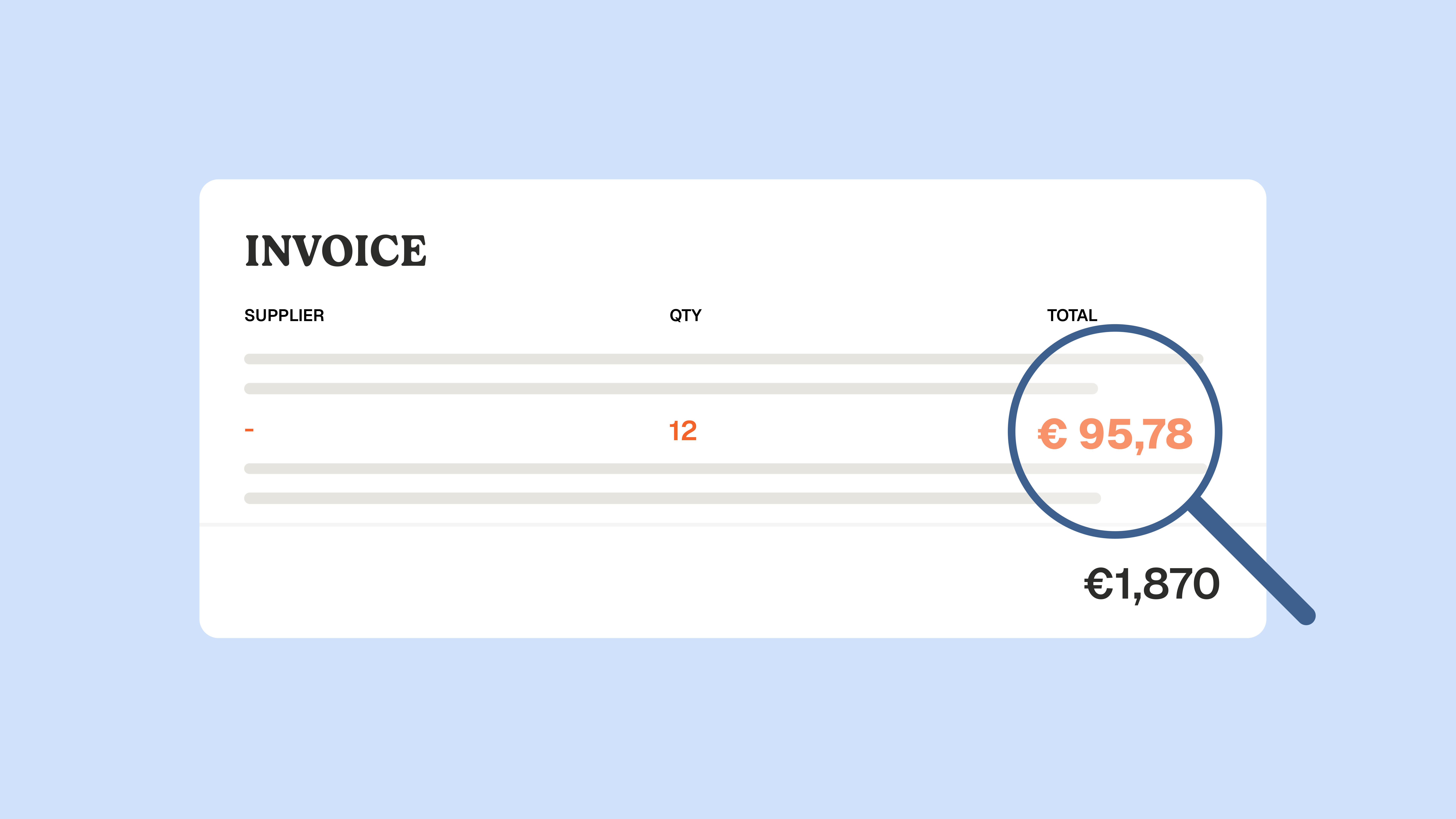
At Astotel, a group of 18 Paris hotels, supplier price checks used to happen by sampling. Then a finance agent flagged 400€ of billing errors in a single month on one supplier, close to 5,000€ a year. Nothing changed in their ERP. The agent read the invoices, checked each line against negotiated prices, and raised the gap before payment.
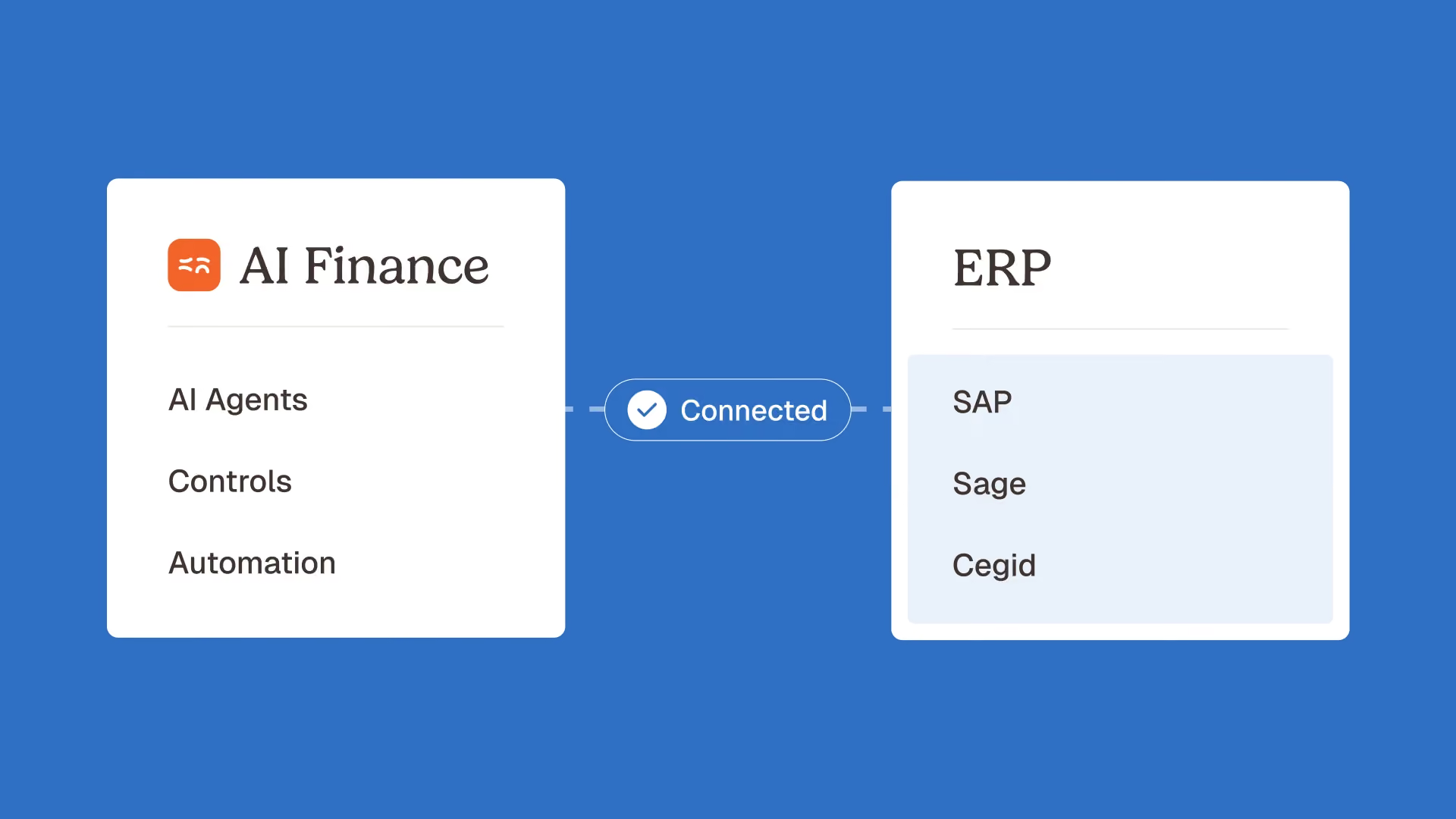
That is what AI ERP integration looks like for a finance team: capability added on top, not a system torn out. AI ERP integration is the practice of connecting AI agents to your existing ERP, whether that is Cegid, Sage, SAP, NetSuite or Microsoft Dynamics, so they can read your data, control it, and write results back, without a migration. You keep the ERP you already run. You add the finance work it was never built to do.
This guide explains the two ways AI meets an ERP, why you do not have to migrate, how agents connect to a legacy system like Sage or SAP, and where AI actually pays off in finance.
What AI ERP integration actually means (two very different models)
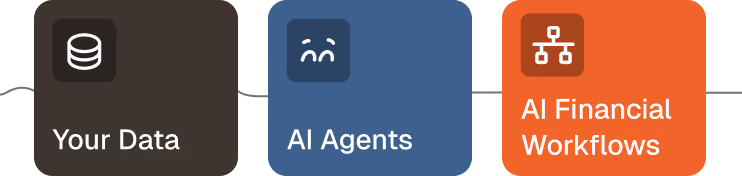
There are two ways to bring AI into an ERP, and they carry very different costs. The first is embedded AI: features the vendor builds into the software itself. The second is an agent layer: AI agents that sit on top of your current ERP and connect to it. Only one of them requires you to change your system.
Embedded AI ships inside the product. It is tied to the vendor roadmap, and it often assumes you run the newest, AI-ready version of the suite. For many companies, reaching that version means an upgrade or a migration first. The intelligence is real, but it is locked to one vendor and one system.
An agent layer works differently. The agents are ERP-agnostic. They connect to whatever you already run, read the documents and tables you already have, and hand the result back. This is the difference between buying an AI-native ERP and adding AI agents on top of a system that already works.
The rising interest in "AI-native ERP" search terms shows the pressure finance leaders feel to modernize. The point of this article is simple: for most finance teams, the agent layer delivers the same AI outcomes without the migration bill.
Why you don't need to migrate your ERP to use AI
You do not need to replace your ERP to use AI in finance. A full ERP migration typically runs 6 to 18 months and costs six figures, and most of that effort has nothing to do with the finance outcome you actually want.
The market data explains the trap. The ERP software industry is worth around 44 billion dollars a year, according to IBM, and those systems are deeply entrenched. Meanwhile McKinsey found in January 2026 that only about 40% of companies report enterprise-level EBIT impact from their AI initiatives, with most of the value stalling in pilots. A large share of that stall happens at the point where AI is supposed to meet the ERP, exactly where a migration is used as the excuse to wait.
An agent layer removes the excuse, because it connects to the system you have. The agent reads your exports, controls the data, and performs an ERP write-back so the validated result lands in your accounting system. Legacy ERP compatibility is the norm, not the exception: if your team can export a file or receive an email from the ERP, an agent can work with it.
None of this replaces your finance team. Agents handle the repetitive extraction and checking so people can spend their time on judgment, exceptions, and analysis. The AI proposes, the human decides.
How AI connects to Cegid, Sage, and SAP without a migration
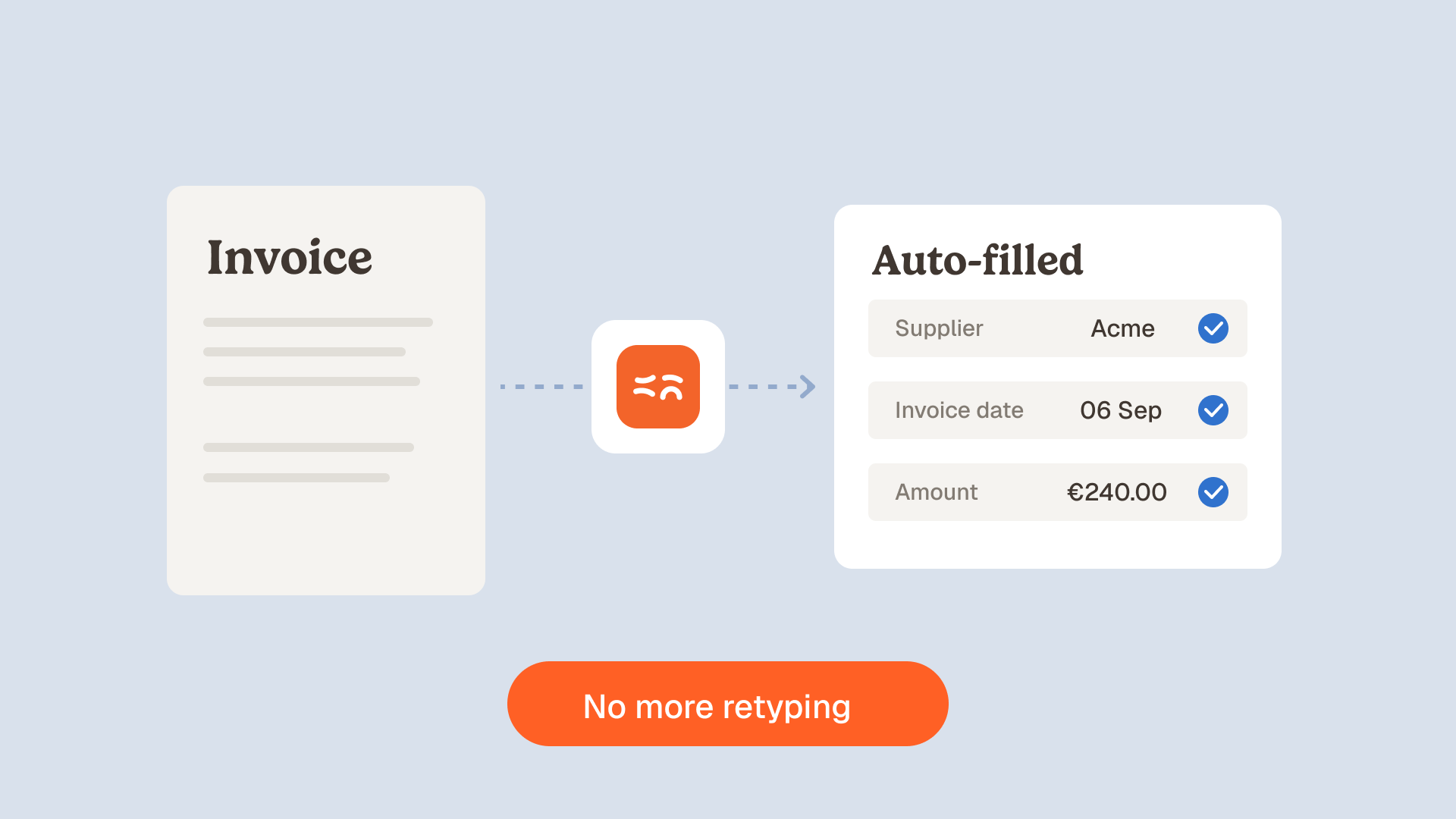
AI agents connect to a legacy ERP the same way your team already exchanges data with it: through exports, email, SFTP, and APIs. The agent reads the source document, structures it into an auditable table, controls it against your rules, and writes the validated result back. On the phacetlabs.com platform these steps map to three capabilities: Structure, Match, and Analyze.
- Structure: the agent extracts and standardizes documents (supplier invoices, order confirmations, bank statements) into auditable tables, with a confidence score on each field.
- Match: it reconciles and verifies flows across systems, for example matching an invoice line against a negotiated price or a purchase order.
- Analyze: it surfaces the anomalies and numbers that matter, then writes results back to the ERP through the API.
What about older or on-premise versions of Sage or Cegid?
Age is rarely the blocker. A finance agent does not care whether your Sage ERP instance is cloud or on-premise, current or a few versions behind, because it works from the data the system produces, not from inside it. Teams that run several systems can even use an agent to consolidate data from multiple ERPs or to reconcile an operations tool against the ERP without touching either one.
Every step is logged. A native audit trail records each extraction, match, and decision, so any output is defensible in front of an auditor or an accountant.
Where AI adds the most value in finance: control before payment
The highest-value place to add AI on top of your ERP is not reporting. It is control before payment: checking every invoice line, matching the purchase order, delivery note and invoice, and flagging anomalies before money leaves the company. This is the work most ERPs record but do not actually control, and it is where an agent layer earns its keep first.
Three finance jobs deliver the fastest return:
- Supplier price control: an agent verifies each invoice line against your negotiated prices and raises any invoice price compliance gap before payment. This is the Astotel example above.
- 3-way matching: an agent reconciles the purchase order, delivery note and invoice automatically, so mismatches are caught rather than paid. Explore the 3-way matching use case or the dedicated agent that stops losses on supplier mismatches.
- Overpayment control: an agent that helps you control supplier billing and reduce overpayments catches duplicates and drift across the whole supplier base.
These sit inside the internal controls and accounts payable categories, the layers where reliability is created before any dashboard is worth reading.
What AI on your ERP can and can't do
AI on top of your ERP is powerful, but it is not autonomous magic. Being clear about the boundary is what makes it trustworthy.
What it does well: extract and structure documents, reconcile flows across systems, control invoices and prices before payment, detect anomalies and duplicates, and draft summaries from data it can trace. What it should not do: run finance unsupervised, replace the ERP as your system of record, or replace the people who own the judgment. Every material decision stays human-in-the-loop, and every output carries an AI confidence score and a source.
This is also the honest answer to "why not just use ChatGPT or Claude?" Generalist assistants are remarkable, but they do not know your suppliers, your price lists, your accounting rules, or your ERP. They do not produce an audit trail, and they do not connect to your inbox or your SFTP. A finance agent is specialist, controllable, and auditable, built on real deployments rather than general knowledge.
Real results: finance teams already running AI on their existing ERP
The proof is not theoretical. These are mid-market finance teams that kept their systems and added agents on top.
- La Nouvelle Garde, a group of 10 brasseries, recovered around 2 days per week and removed roughly 70% of the manual time spent between Gmail and its accounting system. "Phacet is like a team member that operates around the clock." says CFO Théo Richard. Read the La Nouvelle Garde story.
- Astotel, 18 hotels, saves up to 2 hours a day and recovered close to 5,000€ a year in billing errors on a single supplier. "I spot errors I would never have seen on my own." says Valérie, Head of Procurement. Read the Astotel story.
- Smartbox, a European gift-box leader with 800 employees across 14 countries, multiplied its payment-to-invoice reconciliation productivity by 4 and had each use case live in about 6 weeks. Read the Smartbox story.
None of these teams migrated their ERP to get there.
How to add AI to your ERP without a migration project
Getting started is a small, contained project, not a transformation program. The path is the same whether you run Sage, Cegid, SAP or NetSuite.
- Pick one high-friction finance job, for example supplier invoice control or bank reconciliation. Start where the pain and the numbers are clearest.
- Connect the agent to your existing ERP through the channel you already use: an export, an email inbox, an SFTP folder, or the API. No system change.
- Run it with a human in the loop, review the audit trail, and confirm the agent matches how your team actually works.
- Expand to the next job once the first agent is trusted, from accounts payable automation to reconciliation and closing.
With this approach, a first agent reaches production in under 2 weeks, and plans start at 299€/month. You can browse the full catalog of finance AI agents, see the product, or book a demo to test it against your own ERP.
FAQ
Do I need to replace my ERP to use AI in finance?
No. AI ERP integration through an agent layer connects to your existing ERP and adds capability on top. You keep Cegid, Sage, SAP or NetSuite, and the agent reads, controls, and writes back without a migration.
Can AI work with Sage, Cegid, or SAP?
Yes. Agents exchange data with these systems the same way your team does, through exports, email, SFTP, and APIs. The ERP stays the system of record while the agent handles extraction, control, and reconciliation.
Is my ERP too old or too on-premise for AI?
Rarely. Because a finance agent works from the data the ERP produces rather than from inside it, legacy ERP compatibility covers older and on-premise instances. If you can export a file or receive an email, an agent can work with it.
Does the AI write back into my ERP?
Yes. After the agent structures and controls the data, an ERP write-back posts the validated result to your accounting system through the API, so you do not rekey anything.
How long does it take to go live?
A first agent typically reaches production in under 2 weeks, because there is no system to migrate. Broader rollouts run job by job, with each use case going live independently.
Is it auditable and secure?
Every step is recorded in a native audit trail. Data is hosted in Europe, the platform is ISO 27001 certified, and client data is never used to train the models.
The takeaway
The pressure to modernize is real, but modernizing your finance function and migrating your ERP are two different projects. AI ERP integration through an agent layer lets you keep the system you already run and add the control your ERP was never built to deliver, starting with invoices before payment. The result is finance work that is faster, more reliable, and fully auditable, with your team still firmly in charge.
If you run finance on a legacy ERP, the fastest win is not a new system. It is one agent, on top of the one you already have.

Latest Resources
Unlock your AI potential
Go further with your financial workflows — with AI built around your needs.


