Automate supplier credit notes without losing the paper trail
Published on :
July 6, 2026

Nicolas Marchais is co-founder and CEO of Phacet. After seven years at Spendesk, he built Phacet as the agentic layer that orchestrates across ERP, banking and email systems. Reliable, auditable, cross-system, what he calls a Finance Workforce.

At Astotel, a group of 18 Paris hotels, an AI agent that checks every supplier invoice line against negotiated prices surfaced around 400€ of billing errors per month on a single supplier, close to 5,000€ a year. Overcharges like these are exactly what a supplier credit note is meant to correct. Yet most teams treat the credit note as a recording chore: how do I enter it in my accounting tool? The questions that actually protect your margin are harder. Did you catch the error before you paid? Is the credited amount correct? And can you trace the credit back to the invoice that triggered it?
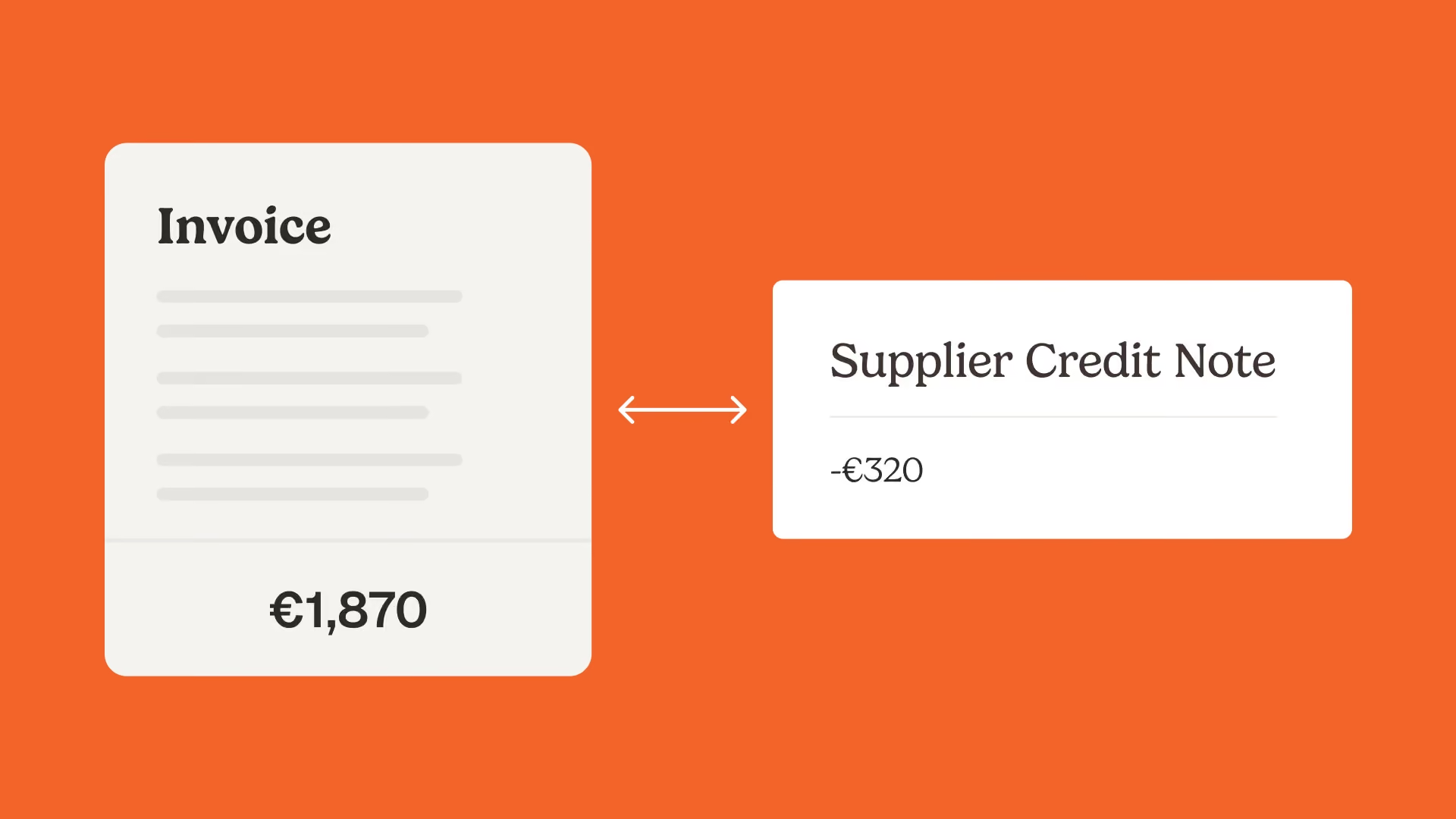
A supplier credit note (also called a vendor credit or a credit memo) is a document a supplier issues to reduce or reverse an invoice you have already received. Automating it well means four things: capture the credit note, link it to the original invoice and purchase order, check the amount, and apply it to your next payment, with every step recorded in an audit trail. Handled this way, the credit note stops being a lost piece of paper and becomes a control that defends your cash.
What is a supplier credit note?
A supplier credit note is a document a supplier sends to lower the amount you owe on a previous invoice. In the US it is usually called a vendor credit or a credit memo. In the UK and Europe, supplier credit note is the standard term, and the French equivalent is avoir fournisseur. For the full definition, see what a supplier credit note is.
Suppliers issue one for a short list of reasons:
- Returned or damaged goods
- An overcharge or a pricing error on the invoice
- A post-invoice discount, rebate or allowance
- Duplicate billing
- A VAT correction
One point matters more than the rest: a credit note reduces an invoice, it does not erase it. The original invoice stays on file, and the credit note sits against it. Delete or hide the original and you lose the very trail an auditor will ask for.
Supplier credit note vs refund vs debit note
Quick answer: a credit note reduces a future or open bill, a refund returns cash, and a debit note is what you, the buyer, send to claim a credit. They describe the same correction from different angles, so mixing them up is what creates confusion at month-end.
Why supplier credit notes get lost, and what it costs
Credit notes get lost because they travel outside the invoice workflow. A partial credit note arrives by email to correct the price on an invoice that was already approved. The original invoice sits in another folder. Someone adjusts a number in a spreadsheet and plans to explain it to the accountant later.
Ask any accounts payable team and the same frustration comes up: the credit note is in one place, the invoice it relates to is in another, and matching the two by hand is slow and easy to get wrong. Many accounting tools cannot even apply a credit automatically, so the credit sits on the supplier account unused.
The cost is concrete:
- Credits you are owed but never claim
- Credits applied to the wrong invoice, so your payables are off
- A paper trail your auditor or your accountant cannot follow
This is a fragmentation problem before it is an accounting problem. The fix is not a new spreadsheet, it is invoice matching that connects the credit note to its source and applies it before you pay.
The real problem is not recording them. It is control.
Here is the reframe that changes how you handle supplier credit notes: a credit note is a control signal, not a data-entry task. Each one is evidence that something on an invoice was wrong. That turns three questions into the heart of the job.
First, did you detect the error before you paid? A credit note that lands after payment is money you have to chase back. The goal is to control invoices before payment, so the discrepancy is caught while you can still net it off.
Second, is the credited amount correct? A supplier who overcharged once can credit you too little. The amount has to be checked against the real discrepancy, the price difference or the returned quantity, not accepted at face value.
Third, can you trace it back to the source? The credit note has to link to the invoice it corrects, the purchase order behind it, and the reason it exists. That is what makes the whole flow reliable, controllable and auditable, and it is the core of strong accounts payable controls and internal controls.
How to automate supplier credit notes without losing the paper trail
Automating credit notes well follows the same logic Phacet applies to any finance job: structure the document, match it, then analyze and act on it. Each step keeps the trail intact.
Structure: capture the credit note and link it to its source
The moment a credit note arrives, by email, PDF or SFTP, it is captured and read instead of left in an inbox. The key fields are extracted (supplier, amount, reference, tax) and the document is linked to the original invoice, the purchase order and the delivery note. Nothing is retyped, and the credit note is already connected to the records it affects.
Match: check the amount and reconcile it (the control layer)
This is where the moat sits. AI Match, Phacet's semantic reconciliation engine, lines up the credit note with its invoice and purchase order and explains its reasoning at each step. The agent checks the credited amount against the real discrepancy, for example by running the line against negotiated prices, the same way you would validate supplier prices on an invoice.
It is also the place to apply 3-way matching, so the order, the receipt and the corrected invoice agree. The agent proposes the match and flags anything that does not add up. A human approves it. The AI does the work, your team keeps the decision.
Analyze: apply the credit, track the balance, keep the trail
Once the credit note is verified, it is applied to the net payment before you pay, or recorded against the supplier balance for the next bill. The supplier credit balance is tracked, so credits do not pile up unused. And every step, capture, match, approval and application, is written to a native audit trail you can show an auditor or your accountant without rebuilding anything.
A control-first workflow, step by step
- Capture the credit note automatically. As soon as it lands, it is read and logged, not left in someone's inbox.
- Link it to the original invoice and purchase order. The agent connects the credit note to the invoice it corrects and the order behind it.
- Verify the credited amount. The amount is checked against the real discrepancy: the price difference, the returned quantity, the duplicated line.
- Route it for approval. The credit note moves through the same statuses as an invoice (to review, approved, applied), with a human in the loop.
- Apply it to the net payment. Before you pay, the credit reduces what you owe, or it is booked against the supplier balance for the next order.
- Keep the trail. Capture, match, decision and application are all recorded, so the original invoice and its credit note stay linked and exportable together.
What good looks like: proof from the field
At Astotel, the same control that catches billing errors before payment saves the procurement team up to two days a month. As Valérie, the Directrice Achats, puts it: "I catch errors I would never have spotted on my own." When the error is caught early, the matching supplier credit note is claimed and applied instead of forgotten.
At Smartbox, the European gift-box leader with 800 employees across 14 countries, reconciling payments against invoices became 4 times more productive once an agent did the matching. The same engine that reconciles a payment also ties a credit note back to its invoice. As their Operations Director says: "Phacet operates as an extension of our teams."
The table below shows the gap between handling credit notes by hand, with a generic AI assistant, and with a finance-specific agent.
FAQ
Is a supplier credit note a refund?
No. A credit note reduces an invoice or sits against your supplier balance, while a refund returns cash. You usually receive a refund only when you do not plan to buy from that supplier again.
What is the difference between a credit note and a debit note?
A supplier issues a credit note to confirm a reduction. A buyer issues a debit note to request one. They often describe the same correction seen from two sides.
How do you record a supplier credit note in accounting?
As the buyer, you debit accounts payable for that supplier and credit the purchase return account (or the expense or inventory account the original bill hit). The entry reduces what you owe that supplier and keeps your books balanced.
How do you match a supplier credit note to an invoice?
Link the credit note to the invoice it corrects and the purchase order behind it, then apply the credited amount so the open balance reflects the net. Manual matching is slow and error-prone, so an agent that links and applies it automatically, and records the connection, saves both time and mistakes.
Can supplier credit notes be automated?
Yes. An AI agent can capture the credit note, link it to its invoice and purchase order, verify the amount, and apply it before payment, with every step written to an audit trail.
Why do supplier credit notes matter for financial control?
Because each one is evidence that a billing error happened. If you do not catch the error before paying and claim every credit you are owed, the money leaks straight out of your margin.
Stop recording credits. Start controlling them.
A supplier credit note is not paperwork to file and forget. It is proof that something on an invoice was wrong, and a chance to recover money you are owed, on the condition that you catch it, match it and keep the trail. That is the difference between recording credits and controlling them.
Phacet builds AI agents for exactly this kind of finance work: 40+ agents, built on 100+ real deployments, with a native audit trail on every step. The first agent goes live in under two weeks, and plans start at 299€/month. Explore the agents that control supplier billing and reduce overpayments and run automated 3-way matching, or see how Phacet handles accounts payable end to end.
The agent does the matching. Your team makes the call.
Latest Resources
Unlock your AI potential
Go further with your financial workflows — with AI built around your needs.