

Phacet vs Bill.com: where each one wins for SMB AP
Published on :
September 5, 2026

Nicolas Marchais is co-founder and CEO of Phacet. After seven years at Spendesk, he built Phacet as the agentic layer that orchestrates across ERP, banking and email systems. Reliable, auditable, cross-system, what he calls a Finance Workforce.

This comparison is for the finance lead, controller or owner of a 50-to-500-person company that runs supplier invoices through Bill.com, or is about to, and has just found an invoice that was approved, paid and wrong.
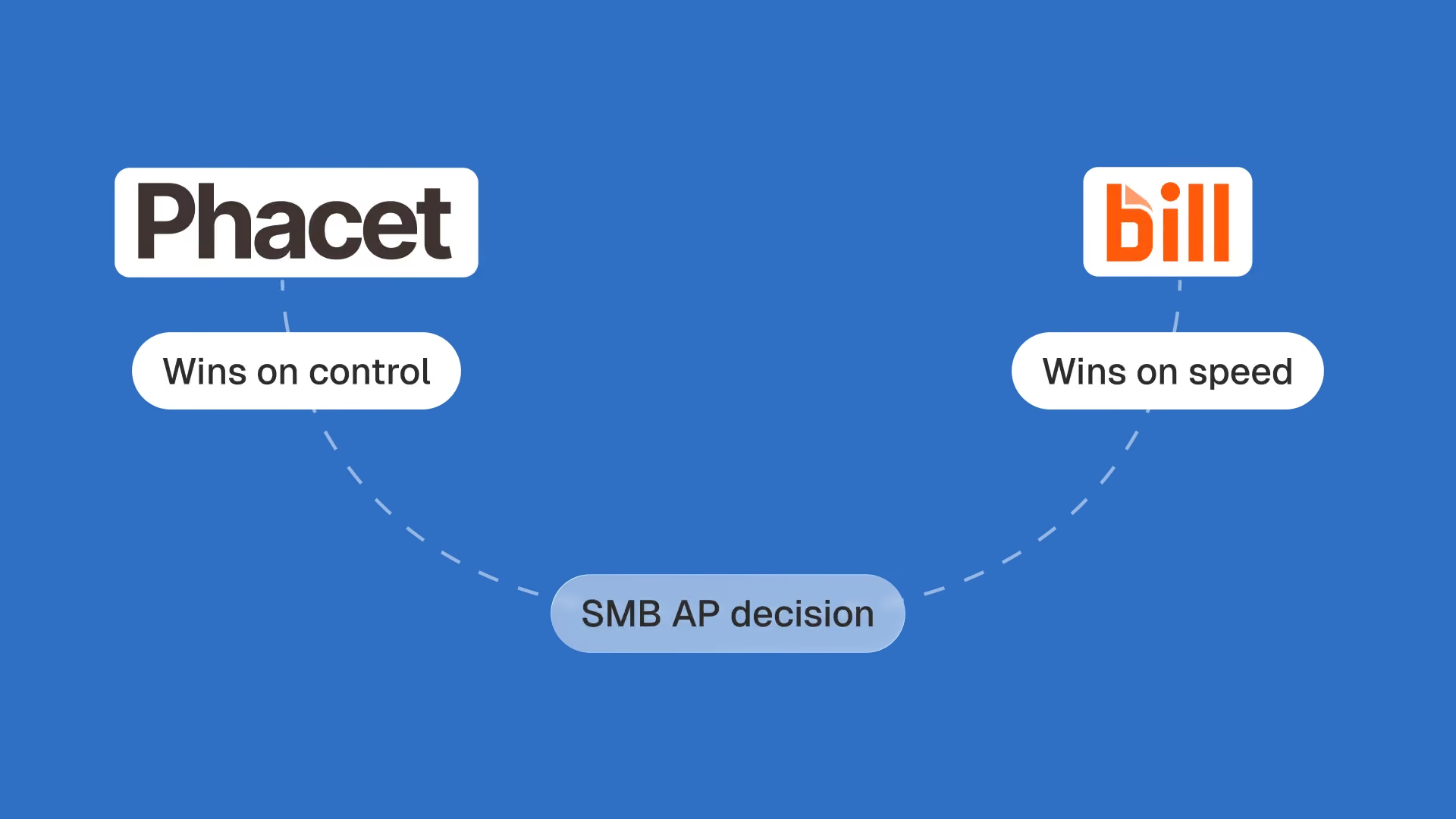
Bill.com wins on paying: approval routing, ACH at $0.59 per payment, checks, a vendor network and an international rail covering 130+ countries, priced per user per month. Phacet wins on control: it checks every invoice line against negotiated prices, purchase orders and payment history before the payment run, and logs why each line passed or failed. They are not substitutes. Most SMBs that search for a Bill.com alternative are missing control, not a payment rail, and a company based outside the United States cannot open a Bill.com AP account at all under its terms of service.
Last checked: September 4, 2026. Vendor facts below were read on that date from bill.com and phacetlabs.com, and may change.
Key takeaways
- Bill.com is a payments and approval platform; Phacet is an invoice control layer. A US SMB usually keeps the first and adds the second.
- None of the 7 editorial pages ranking for "Bill.com alternatives" on September 4, 2026 mentions checking invoiced prices against negotiated prices before payment: 0 occurrences across 7 pages.
- Bill.com's terms of service (section 3.2(b), effective February 10, 2025) require users to reside in the United States, with exceptions for Canadian accounts and receivables-only accounts.
- At Astotel, an 18-hotel Paris group, line-level price control found a 6 euro per kilo gap on the same smoked salmon between two hotels and freed two hours a day for the purchasing director.
- Bill.com no longer publishes per-tier prices on its pricing page (checked September 4, 2026); Phacet starts at 299€ per month with fixed-cost credits and no markup on AI costs.
What Bill.com does well, and what it was built for
Bill.com, renamed BILL, is a financial operations platform that captures supplier invoices, routes them for approval, pays them, and syncs the result to your accounting software: bill pay, invoice processing and approval in one place, sized for a small business rather than an enterprise. It is tied closely to the US accounting ecosystem: QuickBooks Online and Xero sync two ways from the Team tier up, and NetSuite, Sage Intacct and Dynamics from the Enterprise tier. On its own comparison page, BILL states that over 90 of the top 100 U.S. accounting firms use it, and that it has built a network of millions of vendors.
That network is the part competitors rarely match. When your vendor is already in it, a payment is a few clicks: the bank details are on file, the remittance goes out automatically, and the vendor can see status without emailing your bookkeeper. Payment methods are broad for an SMB tool: ACH, checks sent on your behalf, virtual and credit cards, instant transfers, and international payments in local currency to vendors outside the U.S.
The approval workflow is the second strength. Standard approval policies come with every tier, custom policies with the higher ones, and every approval leaves a timestamp in what BILL describes as a complete, unalterable audit trail. For a company that used to approve invoices by forwarding emails, this alone changes the close.
Three things to keep in mind, because they shape the rest of this page:
- BILL is priced per user per month on its AP and AR products, with per-transaction fees on top: $0.59 per ACH payment and $1.99 per mailed check, according to its pricing page on September 4, 2026.
- BILL Spend & Expense, the cards, expense management and spend control product, has no per-user subscription fee, which is why "free" shows up in so many Bill.com comparisons.
- BILL's AP product is built for US-based businesses. Its terms of service say so explicitly, and we come back to that clause below.
What Bill.com approves that nobody checked
An approval workflow answers one question: did the right person say yes. It does not answer a second one: was the invoice correct. Bill.com is very good at the first. The second is where SMBs lose money, and it is the reason most people end up searching for a Bill.com alternative after an incident rather than before.
The incidents are documented by BILL's own users. On Capterra, Emma B., an accounting manager in telecommunications, wrote on August 31, 2023: "When 2 people are entering bills, there is a high chance there will be duplicates being entered." Jennifer E., an AP coordinator at a non-profit, wrote on December 21, 2023 that she gets "frustrated with the AI auto-populating feature while processing invoices." Maureen K., president of an accounting firm, noted on February 17, 2024 "occasional sync issues with QB." None of these reviewers says the approval failed. They say the data that reached approval was wrong, and approval let it through.
Price is the larger and quieter version of the same problem. A supplier invoices the right product, at the right quantity, at a price that drifted from the one you negotiated. Nothing in an approval chain compares that line to your price list. The invoice looks plausible, the budget owner approves it, and the ACH goes out at $0.59.
That is exactly what the purchasing director of Astotel, an 18-hotel Paris group, was living with. Valérie checked prices by picking invoices at random and comparing them across hotels. In her words, from the customer story published June 11, 2025: "For the same reference of smoked salmon and the same quantity, I found up to a €6 difference per kilo between two hotels." The group had a shared price list. The orders were right. The prices were not.
The same pattern shows up in food service at a different scale. At La Nouvelle Garde, a group of ten Paris brasseries, the reconciliation between delivery notes and invoices was done by sampling. Théo Richard, its CFO, put the stake in one sentence in September 2025: "A ten-cent difference on a delivery note, at our volumes, can mean half a margin point lost."
Here is the measurable part. We took the seven editorial pages that rank on Google for "Bill.com alternatives" on September 4, 2026, from Brex, Stampli, Tipalti, Payhawk, Relay, Ken from Finance and Fynex, about 17,300 words in total, and counted terms in the rendered text. "Price control", "negotiated price" and "price list": 0 occurrences on 7 pages. "Before payment" as a control step: 0 on 7. "Human-in-the-loop": 0 on 7. "3-way matching": 3 occurrences, on 2 pages. Seventeen thousand words comparing Bill.com alternatives, and not one of them asks what the tool checks before it pays.
If the invoice that sent you here was a duplicate, a wrong price or a quantity that did not match the delivery, that is the gap you are trying to close. Phacet's supplier billing control agent is built for it: it reads every invoice line, compares it to the negotiated price list and flags each discrepancy with the reason, before the payment run.
Phacet vs Bill.com: the comparison
Here is the comparison as it stands on September 4, 2026, read from both vendors' public documentation. The point is not to score a winner between two pieces of automation software. It is to show that the two tools answer different questions, and to make visible which question yours is.
| Criterion | Bill.com (BILL) | Phacet |
|---|---|---|
| Primary job | Capture, approve and pay supplier invoices; send and collect customer invoices | Check supplier invoices line by line against your rules before payment, then feed the result back to your tools |
| Invoice capture | ✓ Email inbox, upload, AI extraction | ✓ PDF, scans, email attachments, ERP exports, into auditable tables |
| Approval routing | ✓ Standard policies on all tiers, custom policies on higher tiers | ✓ Multi-level routing of exceptions, with the source document and a confidence score attached |
| Executing the payment | ✓ ACH, check, card, instant transfer, international in 130+ countries | ✗ None, by design. Payment stays with your bank, ERP or Bill.com |
| Price check against negotiated price list | ✗ Not a documented function | ✓ Core function, every line, every invoice |
| Duplicate detection | Not listed as a feature on the pricing page (September 4, 2026) | ✓ Against the full payment history, not only the current batch |
| 3-way matching (PO, delivery, invoice) | 2-way matching (PO to invoice) via the Procurement add-on; 3-way matching not listed | ✓ At line level, reference by reference, 5 to 70+ lines per invoice |
| Human-in-the-loop | Approver says yes or no | ✓ Your team validates, corrects or rejects each flagged line; the agent learns from corrections |
| Audit trail | Approval log described by BILL as complete and unalterable | ✓ Every result traced to its source line, with reasoning and confidence score |
| Who can sign up | Users must reside in the United States (terms of service 3.2(b)), with Canadian and receivables-only exceptions | Any company; EU-hosted data available, ISO 27001, GDPR |
| Pricing model | Per user per month, tiers not published, plus $0.59 per ACH and $1.99 per check | From 299€ per month, fixed-cost credits per action, AI costs passed through with no markup |
Read on September 4, 2026 from bill.com (compare, pricing, international payments, terms of service) and phacetlabs.com (agent pages, pricing, security). Bill.com features vary by plan.
Read the two "✗" cells together. Bill.com does not check invoiced prices. Phacet does not execute payments. That is the whole comparison, and it explains why "Phacet vs Bill.com" is a real question for a US SMB even though the answer is rarely "one or the other."
Where Phacet wins: line-level control before the payment run
Phacet is a set of AI agents for finance work: each agent does one job on your finance data, in a table your team can audit. Two of them sit exactly at the point where Bill.com stops checking.
The first is invoice validation before the payment run. Its documentation, published June 19, 2026, describes what it does to every invoice in a batch: compare it to the full payment history to catch duplicates, not only to the bills already in the current batch; verify due dates so you neither pay early nor late; check the amount against the remaining budget; detect changes of bank details, unknown suppliers and unusual timing; and route what fails to the right approver, with the original document and the reason attached. Non-compliant invoices are blocked. Only validated invoices go into the batch. The audit trail is exportable.
The second is the supplier billing control agent, published June 18, 2026. It reads every line of every invoice, standardises product references, and compares the invoiced unit price to the negotiated price list, supplier by supplier, site by site. Its stated purpose is to move a finance team from occasional sampling to 100% invoice checks. Every discrepancy is flagged with the affected line, the variance in euros and in percent, and the source document, so you can approve, dispute or escalate.
What this changed at Astotel was not abstract. Valérie's account in the customer story is specific: "During the test phase in February, I saved at least two hours of work per day by eliminating tedious manual control tasks." And on what she saw that sampling had hidden: "Where I used to only see variations between hotels, the tool revealed structural anomalies in billing." A difference of 1 to 2 euros per litre of orange juice, multiplied across 18 hotels, is her own example of the leverage.
Three properties make this hold in production rather than in a demo:
- Every result is traceable. Each flag links back to the PDF page, the ERP row or the bank line it came from, with the reasoning and a confidence score. You can always answer "why did it flag this" to an auditor.
- Exceptions go to a person. The agent does not decide edge cases alone. It routes them with full context, your team validates or corrects, and every decision is logged.
- It works on data you already have. Price lists, invoices and purchase orders come in by email, SFTP, API or file upload. Nothing in your payment tool has to move.
Phacet's pricing page states that a first agent is in production in under a week for simple cases, and in one to two weeks with two to three iterations on real data for standard ones.
Where Bill.com wins: paying, collecting, and the accountant network
A comparison that never says where the other tool wins is an advertisement. Bill.com wins in three places, and if your problem lives there, Phacet is not your answer.
Paying. Phacet does not move money. Bill.com does, through ACH, check, card and instant transfer, with international payments to vendors in 130+ countries delivered in local currency, which its product page says avoids intermediary bank fees. If your pain is the cost, speed or reach of the payment itself, the shortlist is Bill.com and its payment-rail competitors, not a control layer.
Collecting. BILL's AR product sends customer invoices, takes payments and chases late ones. Phacet does not do accounts receivable in that sense; it reconciles what was collected against what was billed, which is a different job.
The accountant network. Over 90 of the top 100 U.S. accounting firms use BILL, by its own count, and it sells an Accountant console at $49 per month for managing multiple clients. If your outsourced bookkeeper already runs their whole client base on BILL, the switching cost is theirs as well as yours, and it is high.
There is a fourth place, which is not a strength but a boundary, and it matters more than any feature for a non-US reader. Section 3.2(b) of BILL's General Terms of Service, effective February 10, 2025, requires that "all Users and Your Organization or Individual, as appropriate, reside in the United States", except for a Canadian BILL account or an IBR account (international business receivables) opened under the supplemental terms. In plain terms: a French, German, or British SMB cannot run its accounts payable on Bill.com. It can, at most, receive payments from a US customer who does. None of the seven ranking comparison pages mentions this clause.
How much does Bill.com actually cost?
This is the question finance teams ask most often about Bill.com, and the published answers disagree with each other. On September 4, 2026, Brex's comparison page states that BILL's Corporate plan costs $79 per user per month. Ken from Finance, on a page updated August 24, 2026, states Essentials at $49, Team at $65 and Corporate at $89 per user per month. Both are presented as current.
We checked the primary source the same day. BILL's pricing page no longer displays a dollar figure for Essentials, Team or Corporate. It states that AP and AR are "priced per user per month for direct customers", that Corporate and Enterprise distinguish full users from lower-cost approver-only users, that Enterprise and multi-entity are custom, and it lists three figures: $0.59 per ACH payment, $1.99 per check, and $49 per month for the Accountant console. BILL Spend & Expense is $0 per user per month. So the honest answer is: the per-user subscription is quoted, and the transaction fees are public.
Two things follow for an SMB budget. First, ask for the twelve-month fully loaded cost: users, approver seats, ACH volume, checks, and international fees, rather than a monthly seat price. Second, count the users who only approve, because on the higher tiers they are cheaper, and on the lower tiers they are not.
| Cost line | Bill.com (BILL), read September 4, 2026 | Phacet, read September 4, 2026 |
|---|---|---|
| Subscription | Per user per month, tier prices quoted, not published | Studio from 299€ per month, 1 user included; Studio Max 799€ per month, 3 users; custom above |
| Usage | $0.59 per ACH, $1.99 per check, fees on instant and international payments | Monthly credit envelope; each action has a fixed credit cost known in advance |
| AI cost | Included in the subscription | Passed through at cost, no markup; when models get cheaper, credits go further |
| Trial | Free trial available in most cases | 14 days, up to 2,000 credits, on your own data |
Sources: bill.com/product/pricing and Phacet pricing, both read September 4, 2026.
The two lines are not competing for the same budget. One pays for moving money and approving it. The other pays for checking it. A US SMB that adds the second does not drop the first.
When is it time to look beyond Bill.com?
Payhawk asks this question in its own comparison, and answers it with a list of features. A better answer is a list of situations, because the right move differs in each.
| Your situation | What is actually missing | Right move |
|---|---|---|
| Bills get approved and paid, then an error surfaces: duplicate, wrong price, quantity off | A control step before payment | Keep Bill.com for payments, add a control layer on top |
| You check supplier prices by sampling, or not at all | Line-level price control against negotiated lists | Add a control layer; the payment tool is not the problem |
| Fees on ACH, checks or international payments are the pain | A cheaper payment rail | Compare Bill.com with Melio, Ramp or Routable; a control layer will not help |
| Your company is based outside the United States | Eligibility: BILL's terms require US residency | Bill.com is not an option; pay through your bank or ERP, control with Phacet |
| Two people enter bills and duplicates slip in | Duplicate check against full payment history | Add invoice validation before the payment run |
| Invoice volume is in the thousands per month, with mass payments and complex multi-entity sync | Scale of the AP platform itself | Evaluate a larger AP platform; keep the control layer either way |
The first two rows are the most common, and they are the ones the alternatives lists get wrong. A finance team that replaces Bill.com because a wrong-priced invoice got through will spend a quarter migrating vendors, workflows and sync, and end up with a new platform that still does not check prices.
La Nouvelle Garde is the clearest example of choosing the sequence deliberately. Before automating, the group's finance team spent nearly 70% of its time between Gmail and the accounting system, and the supplier inbox alone took two full days a week for one person. The natural reflex with ten restaurants growing was to hire. Théo Richard's rule, in the customer story published September 18, 2025: "Hiring should only come after we've automated." The group deployed two agents, one on the supplier inbox integrated with Pennylane, one on systematic reconciliation of delivery notes against invoices, and deferred the extra accountant.
The Reddit thread that ranks third for this query, "BILL.com Alternatives" on r/Bookkeeping, opens with a bookkeeper writing that something "has become very annoying" and asking for "other reputable alternatives for BILL", while noting the firm only uses it for one function. That is the pattern: an irritation with the tool triggers a search for a replacement, when the useful question is which function is actually failing.
Replacing versus adding a layer: what it looks like in practice
Replacing Bill.com is a project. Every vendor has to be re-onboarded with bank details, approval workflows are rebuilt, the accounting sync is redone, and two systems run in parallel through at least one close. Relay's comparison page has an FAQ on how long the switch takes for a reason. If your problem is the payment rail, that project is worth it. If your problem is control, it does not touch the problem.
Adding a layer looks different, and shorter:
- Week one: load the references. Negotiated price lists, supplier references, purchase orders if you have them, and the invoice history exported from Bill.com or your accounting software. Phacet reads PDFs, scans and CSV exports as they are.
- Week one to two: run on real invoices. The agent extracts each line, matches it to the price list and to the order, and produces its first list of discrepancies. This is where the team sees what sampling had hidden. Standard agents take one to two weeks and two to three iterations on real data, per Phacet's pricing page.
- Every payment run afterwards: only checked invoices go through. Flagged lines go to the right person with the source document; the rest is cleared. Bill.com, or your bank, keeps paying. What changed is what reaches it.
Two details from La Nouvelle Garde show what "afterwards" feels like. Before, an accountant coming back from three weeks of holiday found 1,794 emails waiting; now, in Théo Richard's words, "everything is pre-processed. Accounting picks up right where it left off." And the team's time did not go to more checks. It went to negotiating with suppliers, working with restaurant managers, and optimising stock.
Nothing in this sequence touches the vendor network, the approval chain or the ACH file. That is the practical meaning of "where each one wins": Bill.com keeps the job it was built for, and the job it was never built for gets done.
Frequently asked questions
Why use Bill.com instead of QuickBooks?
QuickBooks records bills; Bill.com runs the approval workflow and executes the payment, then syncs the result back to QuickBooks. Companies choose it when several people approve bills, when vendors expect ACH or checks sent on their behalf, or when an outsourced bookkeeper manages multiple clients. If one person approves and pays everything, QuickBooks alone is often enough.
Can a company outside the United States use Bill.com?
Not for accounts payable. Section 3.2(b) of BILL's terms of service, effective February 10, 2025, requires all users and the organization to reside in the United States. The exceptions are a Canadian BILL account and an IBR account for international business receivables, which lets a non-US company receive payments from US customers, not pay its own suppliers.
Can I migrate from Bill.com without losing vendor data?
Yes, but plan for it. Vendor names, addresses and payment history export from Bill.com; bank details generally have to be collected again from each vendor by the new platform for security reasons. Budget weeks of follow-up on a few hundred vendors. If you are adding a control layer rather than replacing Bill.com, no vendor data moves at all.
Is BILL Spend & Expense a good AP alternative?
It is a different product. BILL Spend & Expense is spend management: corporate cards, budgets and expense reports with no per-user subscription fee, which is why it is often described as free. It does not capture, approve or pay supplier invoices, and it does not check invoiced prices. Use it for card spend, not as a replacement for accounts payable.
How long does it take to switch from Bill.com?
Replacing it usually takes a quarter: vendor re-onboarding, workflow rebuild, accounting resync and one parallel close. Adding invoice control on top takes one to two weeks, because nothing in the payment tool moves; Phacet reports a first agent in production within that window, iterated two to three times on real invoices before the first controlled payment run.
The bottom line
Phacet vs Bill.com is not a choice between two payment tools. Bill.com approves and pays, and does both well for a US SMB that lives in QuickBooks. Phacet checks each invoice line against what you negotiated, ordered and already paid, before the payment run, and shows its reasoning. A company that keeps finding approved invoices that were wrong needs the second, and usually keeps the first.
For a company outside the United States, the comparison ends earlier: Bill.com's terms do not allow the account. Pay through your bank or ERP, and put the control where it belongs.
Your approvals are working. Are your prices being checked?
See how the agent compares every invoice line to your negotiated prices before payment, with the reason for every flag.


Latest Resources
Unlock your AI potential
Go further with your financial workflows — with AI built around your needs.


