

For finance leads and AP managers at mid-market companies on SAP Business One or S/4HANA who are deciding what to automate. Not SAP training, and not a vendor ranking.
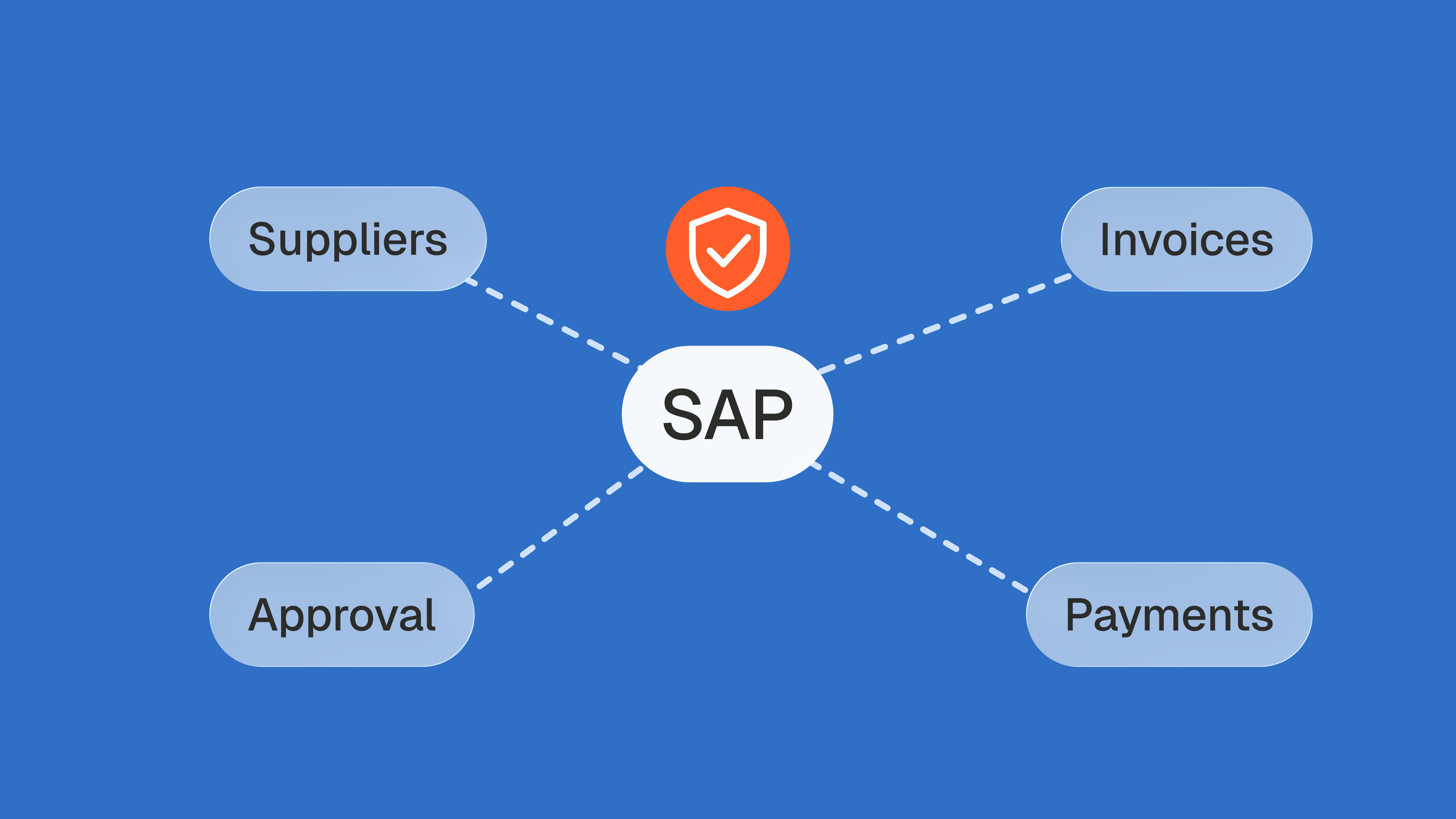
SAP accounts payable automation speeds up capture, matching and posting, but SAP already checks invoices before they are paid. Tolerance limits block an invoice for payment when it drifts from the purchase order, a duplicate check compares the supplier's reference, and dual control freezes a supplier whose bank details changed. Each of these checks compares the invoice with data SAP already holds. None can tell whether the order carried the negotiated price, whether a duplicate arrived under another reference, or whether new bank details really belong to the supplier. Automation pays back in SAP when it adds those comparisons before the F110 payment run.
Key takeaways
- In SAP S/4HANA, an invoice whose variance exceeds an upper tolerance limit is posted and blocked for payment, then released in a separate step.
- SAP's price variance check, tolerance key PP, compares each invoice item with quantity invoiced times order price, so a wrong order price goes unnoticed.
- SAP S/4HANA checks for duplicate invoices only when the reference is entered, and SAP Business One compares the vendor reference number alone.
- Dual control blocks a supplier for the payment run until a second user confirms changed bank details; it does not verify the account itself.
- At Astotel, a group of 18 Paris hotels, line checks against negotiated prices exposed up to €400 a month of billing errors on one supplier.
Does SAP have native AP automation?
Yes, for matching, posting and payment. Capture and most exception handling are left to people or to add-ons. That split explains why the question gets two answers from the vendors who rank for it.
Tipalti's guide answers that SAP includes native invoice processing, especially in S/4HANA, but that many accounts payable tasks still require manual work without added software. Ramp's guide answers that SAP ERPs include native invoice matching, approval workflows and payment scheduling, and that approval routing and exception handling are the stages teams most often reinforce with another tool. Both are right about the process. Neither says what SAP's own checks actually compare, which is the question that decides what to automate next.
In practice, a mid-market SAP team already has three automated steps in place:
- Matching. Invoices that reference a purchase order go through Logistics Invoice Verification (transaction MIRO in S/4HANA and ECC), which proposes values from the order and the goods receipt: the three-way match between order, receipt and invoice.
- Blocking. Variances beyond configured tolerances are posted with a payment block instead of being paid.
- Paying. The automatic payment program, transaction F110, selects due open items and produces payment runs, as described in SAP's F110 knowledge base overview.
What a typical AP automation add-on brings on top is capture: reading PDFs and emails, extracting header and line data, and routing approvals. Useful work, but it feeds SAP's checks faster without changing what they compare.
Which SAP is used for accounts payable in a mid-market company?
Mid-market companies on SAP usually run one of three products. SAP Business One is SAP's ERP for small and midsize businesses, and it handles supplier invoices as A/P invoice documents with their own document settings. SAP S/4HANA, SAP's current flagship, runs as Cloud Public Edition or on premise; accounts payable sits in Financial Accounting, and order-based invoices go through Logistics Invoice Verification. SAP ECC, the previous generation, is still installed in many groups and works the same way as on-premise S/4HANA for invoice verification.
The product matters because the native checks are not the same. Business One and S/4HANA do not protect the same things, which is why the table below is split by edition.
What does SAP check before an invoice is paid?
Four native checks stand between a supplier invoice and the payment run in SAP. Each one compares the invoice with something SAP already stores: an order price, a reference string, a master record.
| Native check | SAP product | What SAP compares | What happens |
|---|---|---|---|
| Price and quantity tolerances | S/4HANA, ECC | Each invoice item against quantity invoiced × order price (key PP), plus quantity and other tolerance keys | Above an upper limit, the invoice is posted and blocked for payment until released |
| Duplicate check, order-based invoices | S/4HANA, ECC | Company code, reference, invoice date, supplier, currency, amount; some criteria can be switched off | Runs only if the reference document number is entered |
| Duplicate check, invoices without an order | S/4HANA, ECC (FI) | Vendor, currency, company code, gross amount, reference, invoice date | Only for vendors flagged for the check in their master record |
| Duplicate vendor reference | Business One | Vendor reference number, for one vendor or all vendors, this fiscal year or all years | No warning, warning only, or block document creation |
| Dual control on sensitive fields | S/4HANA, ECC | Changes to supplier master fields you define as sensitive | Supplier blocked for the payment run until another authorized user confirms or rejects |
Table compiled by Phacet from SAP Help Portal documentation, September 27, 2026.
The tolerance row is the one most guides describe loosely. SAP's page on tolerance limits for invoice postings states that if an upper limit, except with keys BD and VP, is exceeded, "the invoice is blocked for payment when you post it". The SAP support page on tolerances adds that you must then release the invoice in a separate step.
Doxis's SAP accounts payable guide (May 2026) describes it differently: invoices that fail matching or exceed spending thresholds "are parked via transaction FBV1 and routed to approvers". SAP's documentation for the Create Supplier Invoice app settles it: if a deviation is outside defined tolerances, the invoice is posted, but it is automatically blocked for payment. The same page adds that if the system determines the responsible person, an approval process is initiated. The block can come with a workflow, but it still starts from the same comparison: the invoice against the order.
The distinction is not academic for a finance lead. A parked invoice is not yet a payable. A blocked invoice is: it sits in the supplier balance, in your aged payables and in your days payable outstanding while nobody is working on it. A long blocked list is a liability you have recorded and chosen not to pay, and each line needs an owner.
Three things SAP cannot see before the payment run
Every native check compares the invoice with a document SAP trusts. The gaps open where that document is itself wrong, or where the evidence lives outside SAP.
The negotiated price the purchase order should have carried
SAP's price check is only as good as the order it reads. According to SAP's documentation, tolerance key PP determines by how much each invoice item varies from the product of quantity invoiced times order price, then compares that variance with absolute and percentage limits. The order price is the reference, not the contract.
If a buyer typed last year's price, created the order after the invoice arrived, or updated the order so the invoice would post, the variance is zero and the invoice goes through clean. Invoices entered without an order in Financial Accounting have no order price to compare at all.
This is the gap Astotel, a group of 18 hotels in Paris, found when it moved from sampling to line-by-line control. Valérie, the group's Purchasing Director, saw the same smoked salmon reference invoiced up to €6 per kilo apart between two hotels despite a shared price list. On a single supplier, errors reached €400 a month, nearly €5,000 a year.
"I save up to two days per month and catch mistakes I would never have spotted on my own." Valérie, Purchasing Director, Astotel
The rate is not marginal. Nicolas Marchais, Phacet's co-founder and CEO, reported on LinkedIn in February 2026 that one month of analysis at one customer found a discrepancy on 13.2% of processed invoice lines. His shorthand for the problem: suppliers deliver 80 units and invoice 100. SAP's quantity tolerance catches that case when the goods receipt was posted correctly. It cannot catch a price that the order already carries.
A duplicate that arrives under a different reference
SAP's duplicate protection depends on a string typed by a person or read by OCR. The S/4HANA documentation on the duplicate invoice check is explicit: the system only checks for duplicate invoices in Logistics Invoice Verification if you enter the reference document number when entering the invoice. The criteria are configurable, and the same page walks through an example where the check does not fire because reference and company code were deselected.
For invoices without an order, SAP's FI support page lists the fields compared (vendor, currency, company code, gross amount, reference and invoice date) and shows the check being activated vendor by vendor in the vendor master record. In Business One, the purchasing document settings offer three behaviors when an existing vendor reference number is entered on an A/P invoice: no warning, warning only, or block document creation.
Example: a supplier emails invoice INV-2291, then sends a reminder with the same invoice as INV2291. SAP Business One compares the two references and sees two different invoices. S/4HANA does the same if the clerk entered the reference from the reminder, and does nothing at all if the reference field was left empty. Both invoices are open items at the next payment run.
E-invoicing adds channels, and every channel is a new way to receive the same invoice twice. Since 1 January 2026, all Belgian companies liable to VAT must use structured electronic invoices with each other, according to the Belgian federal e-invoicing portal, and since 1 September 2026 every French company in scope must be able to receive them through an approved platform. France's tax administration anticipated the side effect. Its start-up guide of July 2026 asks companies that receive one invoice through several channels to compare invoice number, supplier, customer, date, net amount, VAT and total, keep one reference invoice and mark the others as copies. With every criterion kept, S/4HANA covers the number, supplier, date and gross amount. Business One covers the number.
For groups with a French subsidiary, the same guide separates two decisions that SAP does not distinguish. Refusing an e-invoice is a status sent back to the supplier, which the guide reserves for three reasons and rules out for "a simple commercial dispute" (our translation). Blocking it for payment in SAP stays internal. A price above the contract therefore usually remains a payment block and a credit note request, not a refusal. And when a refusal is justified, the supplier reissues the invoice under a new number, so SAP's reference-based duplicate check will not link it to the refused one: cancel the first one in SAP.
Whether new bank details belong to the supplier
Dual control is SAP's strongest native protection on payments, and its limit is written into its definition. SAP's page on dual control for sensitive fields explains that when a field defined as sensitive is changed, the supplier account is blocked for the payment run, and the block is removed when another authorized user checks the change and confirms or rejects it.
That proves two people agreed. It does not prove the account belongs to the supplier. In a change-of-bank-details fraud, both users see the same convincing email on the supplier's letterhead, the second user confirms, and the next F110 run pays the new account. An agent that detects fake IBAN changes compares each new IBAN with the supplier's existing data (country, bank, name, payment history) and scores the risk before anyone confirms.
If these three gaps describe your SAP system, the missing check is a comparison with data SAP does not hold: the negotiated price list, the other copies of an invoice, the supplier's payment history. It has to run before posting, or at the latest before F110.
See how the supplier billing control agent checks invoices before SAP pays them
How to check SAP invoices before F110 runs: a six-step routine
Most of this routine is configuration and discipline inside SAP. Only step three needs data SAP does not store.
- Read your PP limits as amounts, not percentages. SAP compares variances with both absolute and percentage limits. Example: a 2% upper limit on a €40,000 invoice line lets €800 through without a block, every time. Look at the lower limit too: an invoice billed well below the order price often points to a wrong order rather than a generous supplier.
- Make the reference mandatory and keep every duplicate criterion selected. In Business One, set A/P invoices to Block Document Creation, and untick In Current Fiscal Year Only so that a December invoice sent again in January is still caught when your fiscal year follows the calendar year.
- Check invoiced prices against the contract, not the order. The order may already carry the price you were billed. A contract terms check on every invoice line compares prices, discounts and volumes with the agreement itself and puts a euro amount on each variance.
- Define bank details as sensitive fields, and verify before confirming. Dual control only works if the second user calls a known contact at the supplier, using a number from the master record, not from the email that requested the change.
- Clear the blocked list before every payment run. Blocked invoices are released with transaction MRBR. In an r/SAP thread on a MIRO issue, one practitioner puts it bluntly: MRBR to release the invoice block "should be the only process". When a block comes from a goods receipt that was never posted, a situation users describe in another r/SAP thread, the fix sits with the warehouse, not the supplier.
- Record why each block was released. Who released it, which variance, which credit note was requested. That trail is what your auditor asks for, and what tells you which suppliers keep drifting.
Where an AI agent fits next to SAP
An agent does the comparison SAP cannot make, between the moment an invoice arrives and the moment F110 pays it. It works in three steps.
- Structure. The agent reads the invoice (PDF, email or e-invoice) together with the SAP extracts that matter: open items, order lines, goods receipts, supplier master changes. Each line becomes a row of an auditable table.
- Match. Each line is checked against the order, the goods receipt, the contract or price list and what other sites paid for the same item; each new IBAN against the supplier's history. Example: line 4, 12 kg of smoked salmon at €24.50 per kilo against €18.50 in the price list, €72 at stake, clause attached.
- Analyze. Clean invoices continue to posting and payment; flagged ones go to the right person with the evidence, and every decision is logged. The agent proposes, your team decides.
Alban Cacace, COO of Jinchan and a former financial auditor, described why this matters in January 2026, in words that apply to any SAP landscape with a warehouse tool, a bank and an inbox around it:
"Whenever data flows between systems, discrepancies will exist. Phacet allows you to validate them quickly and reliably." Alban Cacace, COO, Jinchan
It is also where most teams start. In June 2026, Nicolas Marchais wrote that 62% of Phacet customers begin with a control agent.
On the connection side, Phacet's pricing page states that it connects to systems like SAP and NetSuite via APIs or custom connectors. ERP, SFTP and custom API connections are listed in the Custom plan, while Studio plans work from CSV, Excel and PDF imports of your SAP data. The first agent typically runs in production in under two weeks.
SAP stays the system that posts and pays, and its tolerance, duplicate and dual control checks keep doing what the documentation promises. The control worth automating first is the one that decides what reaches F110 with evidence SAP never had.
Frequently asked questions
Can you automate accounts payable?
Yes. Invoice capture, matching against orders and goods receipts, approval routing, posting and payment runs can all be automated. The step that deserves the most attention is the check before payment: automation that only moves invoices faster also moves wrong prices, duplicates and changed bank details faster into the payment run.
Is it possible to automate SAP?
Yes. SAP already automates a large part of accounts payable: Logistics Invoice Verification matches invoices with orders and goods receipts, tolerance limits block variances for payment, and the automatic payment program F110 pays due items. Add-ons usually automate capture and approvals around it. SAP does not compare invoices with data it does not hold, such as contracts.
What is the F110 transaction in SAP?
F110 is SAP's automatic payment program. It selects open supplier items that are due according to the parameters of the run, creates a payment proposal, then posts the payments and produces payment media such as bank transfer files. Invoices blocked for payment, and suppliers blocked after a sensitive master data change, stay out until released.
Can SAP AP automation handle non-PO invoices?
Yes, but with less to check against. Invoices without a purchase order are entered in Financial Accounting, where there is no order price and no goods receipt to compare, and the duplicate check runs only for vendors flagged in their master record. Coding suggestions speed entry; price control needs a contract, a price list or payment history.
How much does AP automation software cost?
Pricing models vary: per invoice processed, per user, or a platform subscription, and many vendors quote on request. Budget for the connection to SAP as well as the licence. As one published reference point, Phacet's Studio plan starts at $299 per month with a 14-day trial, and ERP, SFTP and API connections belong to its Custom plan.