

Month-end close checklist: 32 steps and the proof needed
Published on :
September 14, 2026

Nicolas Marchais is co-founder and CEO of Phacet. After seven years at Spendesk, he built Phacet as the agentic layer that orchestrates across ERP, banking and email systems. Reliable, auditable, cross-system, what he calls a Finance Workforce.

This checklist is written for the person who signs the close in a company of 50 to 500 employees: a Head of Finance, a controller, a single accountant carrying the whole month. Not for a student looking for a definition, and not for a freelance closing one bank account a year.
A month-end close checklist is a sequenced list of the accounting tasks that turn a month of raw transactions into signed financial statements. The useful version does two things the common template does not: it states, for every line, what evidence makes the line true, and it separates the lines that can be closed while the month is still running from the ones that genuinely have to wait for cut-off. The 32 steps below are laid out that way. Ticking a box is not evidence. A reconciliation with a documented difference is.
Key takeaways
- A month-end close checklist has three useful columns, not one: the task, the evidence that proves it, and the earliest date it can be closed.
- Across the 7 editorial pages ranking for this query on 13 September 2026, the phrases "three-way match", "supplier statement" and "goods received" appear zero times in total.
- Five of those pages answer "how long should month-end close take" with five different numbers, from 3 days to 10 days, so the day count is a weak benchmark.
- Of the 32 steps below, 14 can be closed during the month, which is the only close acceleration that does not trade speed against control.
- At La Nouvelle Garde, delivery note to invoice reconciliation was done by sampling before automation, and a ten-cent gap on a delivery note costs half a margin point at group volumes.
What is a month-end close checklist?
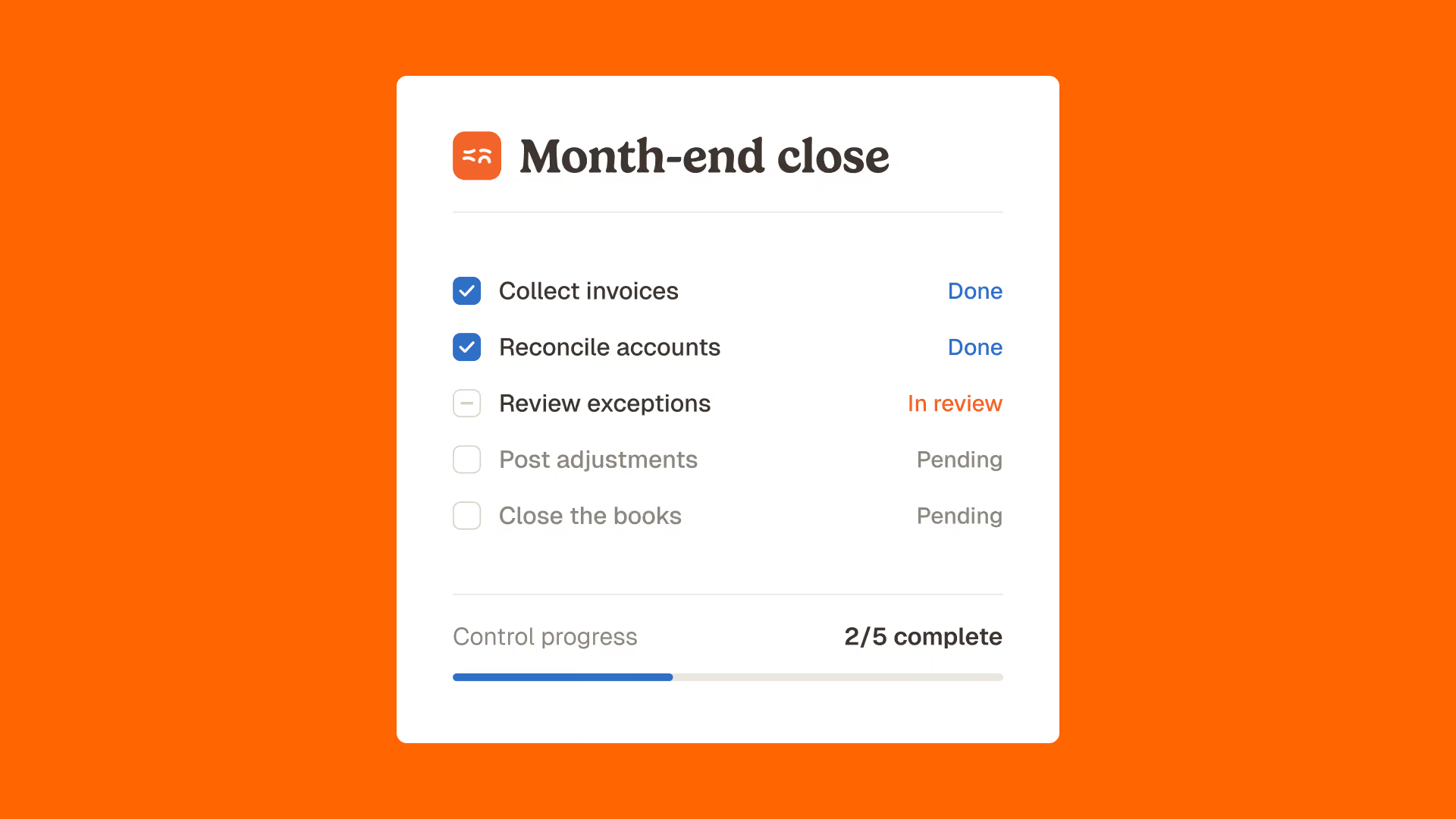
A month-end close checklist is a control document that lists every task required to close an accounting period, in the order the tasks depend on each other, with an owner and a deadline for each one. It exists because the close is not one job, it is thirty jobs whose failure modes are invisible until the statements are already out.
Most published templates stop there. They give you the tasks. They do not give you the standard of proof, which is the part that decides whether the close is defensible three months later when an auditor, a bank or a buyer asks why an account moved. That is the gap this checklist fills.
One structural rule underpins the whole list: for every line, the person who prepares the work and the person who reviews it should not be the same. In a team of one, that is not always possible, and the honest workaround is to make the evidence self-explanatory rather than to pretend a second pair of eyes exists. A reconciliation that a stranger can re-perform from the file alone is worth more than a sign-off from someone who did not look. That is why the second column of the checklist below describes a document, not an action.
Two terms worth fixing before the list, because they carry most of the confusion:
- Cut-off is the line that decides which period a transaction belongs to. A delivery received on the 30th and invoiced on the 3rd belongs to the month it was received, not the month it was invoiced.
- Three-way matching is the control that compares a purchase order, a delivery note and a supplier invoice line by line before the invoice is posted or paid. It is the single control that makes most accrual lines provable rather than estimated.
The month-end close checklist: 32 steps in 5 blocks
Read the third column first. It is the one that shortens the close. Fourteen of these lines do not need the month to be over, they need the control to have run when the document arrived.
| Step | What proves the line is true | Earliest it can be closed |
|---|---|---|
| Block 1. Continuous controls, running before cut-off | ||
| 1. Supplier invoices captured and coded | Count of invoices received equals count posted, with the gap listed by supplier | During the month |
| 2. Invoice prices matched to contracted prices | Line-level variance report against the agreed price list, with each exception approved or disputed | During the month |
| 3. Three-way match on goods purchases | Purchase order, delivery note and invoice reconciled line by line, unmatched lines listed | During the month |
| 4. Supplier statements reconciled | Statement balance agreed to the payables ledger, with a dated reconciling item list | During the month |
| 5. Duplicate invoices and duplicate payments screened | Screening run on amount, supplier, date and reference, with the exceptions cleared | During the month |
| 6. Bank transactions reconciled | Every bank line matched or explained, unmatched lines aged | During the month |
| 7. Customer receipts applied to invoices | Unapplied cash balance explained line by line | During the month |
| 8. Card and gateway settlements reconciled to revenue | Gross settlement agreed to reported revenue, fees isolated and coded | During the month |
| Block 2. Cut-off and capture | ||
| 9. Cut-off communicated to budget owners | Dated notice sent, with the list of people who have not confirmed | Before period end |
| 10. Goods received not invoiced identified | Delivery notes without a matching invoice, valued at contracted price | After cut-off |
| 11. Services delivered not invoiced identified | Contract or timesheet evidence for each accrued line | After cut-off |
| 12. Revenue cut-off tested | Sample of transactions either side of the cut-off date traced to delivery evidence | After cut-off |
| 13. Expense reports submitted and approved | Submission rate by department, late items listed | After cut-off |
| 14. Inventory movements posted | Physical count or perpetual record agreed to the ledger, variance explained | After cut-off |
| Block 3. Reconciliations | ||
| 15. All bank accounts reconciled and signed | Reconciliation with zero unexplained difference, dated and reviewed | After cut-off |
| 16. Payables ledger agreed to the general ledger | Sub-ledger to ledger difference at zero, or itemised | After cut-off |
| 17. Receivables ledger agreed to the general ledger | Aged balance agreed, credit notes and disputes flagged | After cut-off |
| 18. Payroll agreed to the ledger | Payroll journal agreed to the payroll report, employer charges recomputed | After cut-off |
| 19. Intercompany balances agreed | Both sides of each pair agreed, differences owned by one entity | After cut-off |
| 20. Tax accounts reconciled | Declared base agreed to the ledger base, difference explained | After cut-off |
| 21. Suspense and clearing accounts cleared | Zero balance, or every remaining item dated and owned | After cut-off |
| Block 4. Adjustments and accruals | ||
| 22. Accruals posted | Each accrual supported by a document, not by last month plus a percentage | After cut-off |
| 23. Prepayments released | Schedule agreed to the ledger balance | After cut-off |
| 24. Depreciation and amortisation posted | Fixed asset register agreed to the ledger, additions and disposals traced | After cut-off |
| 25. Provisions reviewed | Basis documented and dated, release or increase justified | After cut-off |
| 26. Foreign currency revalued | Rate source named and dated, revaluation recomputed | After cut-off |
| 27. Manual journals reviewed and approved | Preparer and reviewer different people, support attached to each journal | After cut-off |
| Block 5. Review, reporting and lock | ||
| 28. Flux review on every balance sheet account | Movement versus prior month explained above a set threshold | After cut-off |
| 29. Profit and loss reviewed against budget and prior period | Variance commentary written by the owner of the line, not by finance alone | After cut-off |
| 30. Management reporting pack produced | Figures traced back to the ledger, no manual re-keying between systems | After cut-off |
| 31. Close file assembled | Every reconciliation, journal and approval stored against the period | After cut-off |
| 32. Period locked | Posting blocked for the period, with a named approver for any reopening | After cut-off |
Fourteen of the 32 lines sit in Block 1. They are the lines that most teams run in the close window because that is when someone finally has time, not because the data is only available then. Moving them back into the month is the whole game.
The column every close checklist template is missing
We scraped the seven editorial pages ranking on the first two pages of Google for "month end close checklist" on 13 September 2026 and ran a term count across their rendered text. The result is narrow and measurable.
| Term searched | Occurrences across the 7 pages | Pages containing it |
|---|---|---|
| three-way match or 3-way match | 0 | 0 of 7 |
| supplier statement | 0 | 0 of 7 |
| goods received not invoiced | 0 | 0 of 7 |
| contracted price or price compliance | 0 | 0 of 7 |
| audit trail | 2 | 2 of 7 |
The perimeter matters: this is a count on the body text of seven pages, not a claim about the whole internet. But it is a precise one. The pages that rank for the most popular close checklist query in English do not mention the control that makes accruals provable, and mention the audit trail twice.
This is not sloppiness. It is a consequence of what a checklist template is designed to do. A template sells completeness, so it optimises for the number of lines. Evidence is invisible in a template because it only exists in your own systems. That is exactly why the evidence column is where the differentiation sits, and why a downloadable spreadsheet cannot give it to you.
Take the single line where this bites hardest: goods received not invoiced, step 10. The task is easy to write and hard to prove. On the last day of the month a delivery arrives, the supplier invoices it eleven days later, and the charge belongs to the month of the delivery. The common practice is to accrue it at last month's figure plus a percentage, because nobody has the delivery note values to hand. The provable practice is to value it from the delivery notes that have no matching invoice, at the contracted price.
The difference between those two methods is not stylistic. The first produces an accrual that no one can re-perform and that quietly absorbs any pricing error the supplier made. The second produces a line you can hand to an auditor with the underlying documents attached, and it surfaces the pricing errors instead of burying them. The catch is that the second method needs the delivery notes to have been matched to invoices as they arrived, which is step 3, which is a Block 1 line. This is the dependency the calendar hides: an after-cut-off line is only provable if a during-the-month line ran.
How long should a month-end close take?
There is no reliable answer, and the corpus shows why. Five of the seven pages ranking for this query answer the same question with five different numbers.
| Source (page ranking on 13 September 2026) | Answer given |
|---|---|
| Rippling | An efficient close should take 3 to 5 business days |
| Vena Solutions | No universal benchmark: 5 to 7 days for high performers, 8 to 10 for mid-sized companies |
| Ramp | Most teams target a 5 to 10 business day close |
| HighRadius | A typical close takes 5 to 10 days, a fast close is under 5 |
| FloQast, citing Ventana Research | 88% of heavily automated companies close within six business days |
Taken together, the range runs from 3 to 10 days for the same question, and one of the five sources says outright that there is no universal benchmark. The honest reading is that the day count measures how much work a team is willing to compress into the close window, not how sound the close is. A five-day close built on sampled reconciliations is worse than an eight-day close where every line has evidence behind it.
The better benchmark is a ratio you can compute from the table above: how many of your 32 lines were already closed on day 1 because the control ran during the month. If the answer is zero, the close will stay long whatever software you buy, because you are not closing the books, you are auditing the month.
Why the close is stressful, and what actually removes the stress
"Is month-end close stressful" is one of the questions Google surfaces alongside this query, which tells you something about who is searching. The stress is not caused by the volume of tasks. It is caused by signing a number you could not verify.
The mechanism is visible in the way teams describe their own close. At La Nouvelle Garde, a Paris brasserie group of ten establishments, reconciliation between delivery notes and invoices was done only by sampling before the process was automated. Théo Richard, the group's CFO, put the cost of that plainly: "A ten-cent difference on a delivery note, at our volumes, can mean half a margin point lost." Sampling is not a control, it is a hope with a coverage rate.
The same group measured the backlog effect: "Before, when an accountant came back from three weeks of vacation, they found 1,794 emails waiting." That is the close in one sentence. The work did not disappear while nobody looked at it, it queued, and it arrived in the close window with interest.
What removes the stress is not a faster close, it is a close where nothing arrives unexamined. The point is evidence, not speed.
Month-end close tools: what each category actually covers on the checklist
Most tool comparisons list features. The more useful question is which of the 32 lines a category can close, and which ones it leaves for a human on day 3.
| Tool category | Checklist lines it closes | What it leaves open |
|---|---|---|
| ERP or general ledger | Posting, period lock, sub-ledger to ledger agreement (16, 17, 32) | It records what it is given. It cannot tell you the price on the invoice was wrong. |
| Close management software | Task orchestration, ownership, reconciliation sign-off, close file (27, 31) | It tracks that a task was ticked. The evidence behind the tick still has to exist somewhere. |
| Invoice capture and AP automation | Capture, coding, approval routing (1) | Capture is not control. A correctly captured invoice at the wrong price posts cleanly. |
| Spreadsheets | Anything, once, by one person | No audit trail, no repeatability, and the reconciliation dies with the file. |
| Control layer with AI agents | Block 1 in full: price matching, three-way match, supplier statements, duplicates, bank and settlement reconciliation (1 to 8) | Judgement lines: provisions, revenue recognition policy, variance commentary. |
The categories are complements, not substitutes. An ERP without a control layer records unverified data faithfully. A control layer without an ERP has nothing to post to. The gap worth naming is that four of the five categories assume the data arriving is already right, and the checklist assumes the opposite.
The gap widens with entity count. A single-entity close can be held together by one person who knows where everything is. At three entities and above, step 19, intercompany agreement, becomes the line that decides the calendar, because it is the only one that cannot be finished by a single team working alone. Both sides have to agree, and if one side is still reconciling its own bank account, the other side waits. Multi-entity groups rarely have a slow close because their tasks are slower. They have a slow close because their dependencies are serial and undeclared.
The practical consequence for tool selection is to stop asking which product closes the fastest and start asking which one lets a control run before the period ends, on data that has not yet been posted. That question eliminates most of the market quickly, and it is a better filter than any feature grid.
What changes when the data arrives already controlled
The measurable effect of moving Block 1 into the month is not a shorter close, it is a close with fewer open questions. Three examples, all published and attributed.
At Astotel, a group of 18 Paris hotels, price control was done by pulling invoices at random. Valérie, the group's Purchasing Director, found a €6 per kilo difference on the same smoked salmon reference between two hotels, despite a shared price list. Once every line was compared against the negotiated price list, the result on a single supplier was "up to €400 in errors per month, or nearly €5,000 annually", and two hours a day returned to her calendar. Her comment on the mechanism is the part that matters for a close: "AI has helped reveal billing discrepancies I wouldn't have caught on my own."
At Smartbox, the European leader in experience gift boxes with 800 employees across 14 countries, matching payments to invoices was a manual task. Mourad Meraou, Operations Director, reports the outcome as "a fourfold increase in productivity" on that process.
At La Nouvelle Garde, two agents were deployed: supplier email processing, and systematic reconciliation between delivery notes and invoices. Théo Richard describes the result as "I save up to two days per month and catch mistakes I would never have spotted on my own", and frames the intent precisely: "I don't expect us to work faster thanks to AI, but to work better."
Phacet agents run exactly the Block 1 lines. The three-way matching agent reconciles purchase orders, delivery notes and invoices line by line, flags what did not match, and writes the result into a table with a native audit trail. That is what turns the second column of the checklist from an intention into a document. The agents covering the rest of Block 1, from supplier billing control to bank and settlement reconciliation, sit in the Closing and Audit agent library.
If your close currently starts with reconciliation rather than review, that is the gap to close first. Book a demo and bring one month of supplier invoices: the price variance report is usually the fastest way to see whether the problem is your checklist or your data.
How to put this checklist into production in one close cycle
Do not try to move all fourteen Block 1 lines at once. Take the one with the largest euro exposure, which in a goods-heavy business is almost always price compliance or three-way matching, and run it for one full month before the close.
- Pick one supplier representing a meaningful share of spend, and one control from Block 1.
- Run it weekly for four weeks, and log every exception with its value.
- At close, compare two numbers: the exceptions caught during the month, and the adjustments you still had to post after cut-off.
- If the first number is larger, the control belongs in the month. Move the next line.
This is deliberately narrow. A close checklist fails when it is adopted wholesale by a team that has not yet agreed what counts as evidence. It works when one line at a time moves from "ticked" to "proven", and the close file gets thicker while the close window gets shorter.
Frequently asked questions
What is a typical month-end close process?
A typical month-end close process runs in five stages: capture and code all transactions, apply cut-off, reconcile every balance sheet account, post accruals and adjustments, then review, report and lock the period. Most teams complete it in 5 to 10 business days, though published benchmarks for that range disagree with each other.
What are the steps for the month-end closing?
The 32 steps above cover the full sequence. In short: capture invoices, match prices and deliveries, reconcile bank and sub-ledgers, identify goods and services received but not invoiced, post accruals with supporting documents, review balance sheet movements, produce the reporting pack and lock the period.
Is there a free Excel template for a month-end close checklist?
Yes, several vendors publish free Excel and Google Sheets templates. They list the tasks correctly. What none of them can supply is the evidence column, because the proof that a line is true lives in your ERP, your bank feed and your supplier documents, not in the spreadsheet.
What is the best checklist for month-end close?
The best checklist is the one that names an owner, a deadline and a form of evidence for every line, and that marks which lines can be closed before the month ends. A list of tasks without an evidence standard produces a close that is complete on paper and unverifiable in practice.
How to reconcile accounts at month-end?
Reconcile an account by agreeing its ledger balance to an independent source: a bank statement, a supplier statement, a payroll report, a fixed asset register. Every remaining difference must be listed, dated and owned by a person. A reconciliation with unexplained differences is not a reconciliation.
The close you can defend
A month-end close checklist is not a productivity tool. It is the document that proves, line by line, that the numbers you signed were verified rather than assumed. The tasks are not the hard part, and neither is the calendar. The hard part is the second column, and it is the only one a template cannot fill for you.
Start there. Pick the line with the largest exposure, move the control into the month, and let the close become what it is supposed to be: a review of work already done, not the work itself.


Latest Resources
Unlock your AI potential
Go further with your financial workflows — with AI built around your needs.


